Annual leave management software: a guide for UK managers
Discover what annual leave management software is and how it automates employee time-off, saving you admin time and ensuring accuracy.

Annual leave management software automates and centralises every stage of employee time-off administration, from the initial request through to approval, balance update and compliance reporting, replacing the spreadsheets and email chains most teams still rely on.
Three immediate benefits for managers and HR:
- Less admin time. Requests, approvals and balance calculations happen automatically, freeing HR from chasing emails.
- Greater accuracy. Balances update in real time, cutting the payroll corrections that follow manual errors.
- Audit-ready records. Every request, approval and amendment is timestamped, giving you a defensible paper trail for HMRC queries or employment tribunal proceedings.
If you are still tracking leave in a spreadsheet, spend five minutes pricing up the hours your team loses to it each month. The number is usually the prompt that moves procurement forward.
Table of Contents
- What annual leave management software actually includes
- How leave software works in practice
- The real benefits: operational, strategic and UK compliance
- Which organisations gain most from leave software
- How to choose the right leave management system
- Rolling out leave software without disrupting operations
- How Timeprof handles annual leave for UK teams
- Key takeaways
- The case for acting sooner than feels comfortable
- Try Timeprof for leave and rota management
- Useful sources and further reading
What annual leave management software actually includes
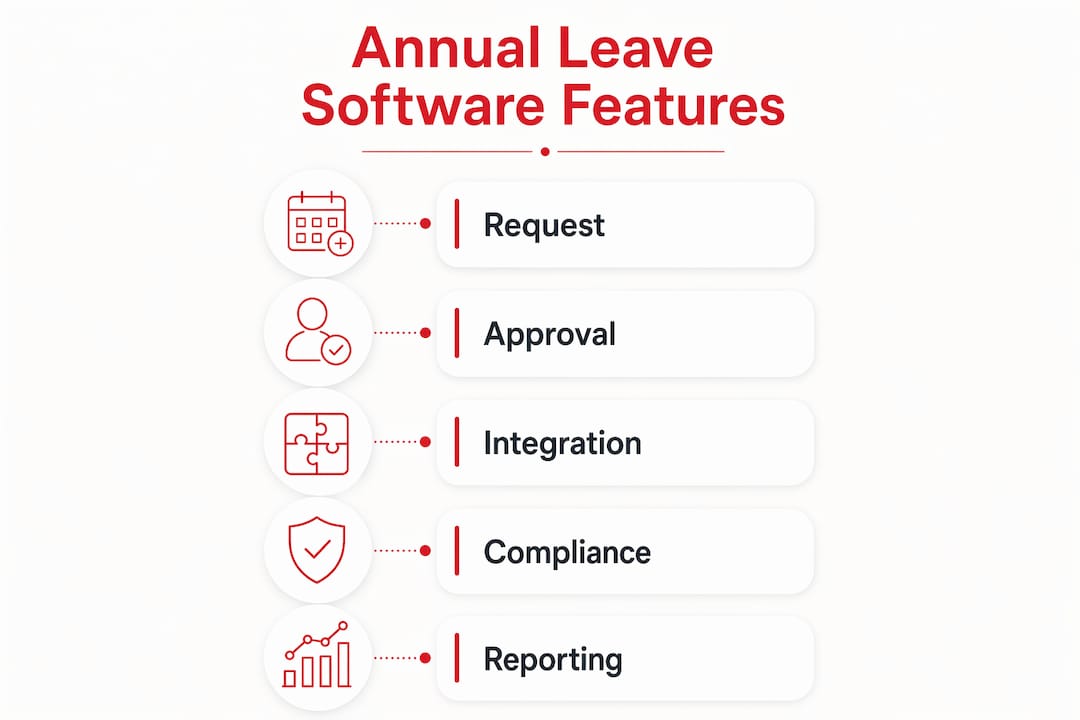
The feature set varies by vendor, but the table below covers what you should expect to see in any credible platform.
| Feature | What it does for managers |
|---|---|
| Employee self-service portal | Staff submit and track requests without contacting HR, cutting routine queries |
| Real-time team calendar | Instant visibility of who is off, when, across sites or departments |
| Automated approval workflows | Requests route to the right approver; escalation rules handle absences |
| Accrual and pro-rata engine | Calculates entitlements automatically for part-time and mid-year starters |
| Bank holiday templates | Pre-populated UK (and regional) public holiday calendars applied to policies |
| Automated notifications | Email or app alerts keep employees and managers informed at each stage |
| Audit trail and reporting | Timestamped records of every action for compliance and dispute resolution |
| Payroll and HRIS integration | Leave data flows to payroll automatically, removing month-end reconciliation |
| Mobile access | Managers approve and staff book from any device, anywhere |
Integration is where demos often reveal the real gaps. Ask specifically about Google Calendar, Outlook, and your payroll provider during any trial. A system that cannot push leave data to payroll will still leave someone doing manual reconciliation at month end.
Pro Tip: Before your demo, list the three systems your team touches most often when processing leave. Test each integration live during the session rather than taking the vendor’s word for it.
How leave software works in practice
The everyday workflow is simpler than most managers expect. Here is a typical sequence from request to record.
- Employee submits a request. Via the self-service portal or mobile app, the employee selects dates, leave type and any notes. The system checks their remaining balance instantly.
- Manager or HR receives a notification. An alert arrives by email or in-app. The approver sees the team calendar alongside the request, so they can judge cover at a glance.
- Approval or decline is recorded. One click approves or declines. A decline requires a reason, which is logged automatically.
- Balance updates immediately. Approved leave deducts from the employee’s entitlement in real time. No spreadsheet to update, no email to send.
- The team calendar reflects the change. Everyone with access sees the updated schedule. Managers planning rotas can see conflicts before they become problems.
- Data flows to payroll and reports. At month end, leave records are already reconciled. Payroll picks up the data; the compliance report is ready to export.
Consider a care home covering a bank holiday week in August. A manager approving a week’s leave for a senior carer would normally cross-reference a rota spreadsheet, check a separate holiday tracker and then email payroll. With leave software, step five surfaces the cover gap before the approval goes through. The manager can decline, request a swap, or post an open shift, all within the same platform. That is where automation replaces a manual check rather than just digitising it.
The real benefits: operational, strategic and UK compliance
Operational gains
The most immediate payoff is time. Automation reduces processing times significantly compared with manual methods, with some vendor analyses showing leave processing times can fall substantially. The same analysis estimated substantial reductions in administrative costs annually for a typical organisation, though that figure is US-sourced and the proportional saving is the relevant takeaway for UK teams.

Fewer manual steps also means fewer payroll errors. When leave integrates directly with payroll, the month-end corrections that follow spreadsheet discrepancies largely disappear.
Strategic value
Beyond day-to-day efficiency, leave data becomes genuinely useful. A good platform lets you spot absence trends before they affect service delivery. Some systems calculate the Bradford Factor, a metric that surfaces frequent short absences that aggregate totals tend to hide. Catching a pattern of Monday absences in one team is far more useful than knowing the department’s annual total.
Statistic callout: Automation does not just speed up administration. It shifts HR from reactive record-keeping to proactive workforce planning, giving managers the data to act before a staffing shortfall becomes a service failure.
UK compliance considerations
UK employment law requires employers to keep accurate records of working time and leave. Audit trails with timestamped entries support your position in an employment tribunal and satisfy HMRC record-keeping obligations. Under UK GDPR, leave records are personal data, so your chosen platform should offer clear data residency information, role-based access controls and a documented data retention policy. Ask for this in writing before you sign.
| Benefit area | Practical outcome |
|---|---|
| Admin time saved | Fewer manual steps per request; faster approvals |
| Payroll accuracy | Automated data transfer reduces month-end corrections |
| Absence analytics | Bradford Factor and trend data inform proactive management |
| Compliance records | Timestamped audit trails for tribunals and HMRC |
| Employee experience | Self-service access reduces HR dependency for routine queries |
Which organisations gain most from leave software
The honest answer is most of them, but the urgency varies.
- Small businesses (under 50 staff): Even at this size, a single HR manager tracking leave manually across part-time and full-time contracts wastes hours every month. A simple platform pays for itself quickly.
- Multi-site operators: Visibility across locations is the core problem. A central calendar showing leave across three sites is impossible to replicate reliably in a spreadsheet.
- Shift-based sectors (care, hospitality, security, cleaning): Leave and rota management are inseparable here. Approving leave without checking shift cover creates gaps that affect service delivery and, in regulated sectors, compliance.
- Distributed and remote teams: When staff are not in the same building, a shared digital calendar is the only practical way to maintain visibility.
The roles that benefit most directly are HR teams (who process the requests), rota managers (who need cover visibility), operations managers (who need absence data for planning) and finance or payroll leads (who need accurate records at month end).
A care home is a useful illustration. A rota manager covering three floors and two shift patterns cannot reliably track leave, bank holiday entitlements and sickness absence across 40 staff in a spreadsheet without errors. A leave platform connected to the rota surfaces conflicts automatically, flags understaffing before it happens, and keeps a record that satisfies CQC inspection requirements. The difference is not marginal. For managing staff availability at that level of complexity, a spreadsheet is genuinely not fit for purpose.

How to choose the right leave management system
What to test in a demo
- Self-service booking from the employee’s perspective (not just the admin view)
- Approval chain configuration for multi-level or multi-site sign-off
- Team calendar with filter options by site, department and leave type
- Report export in a format your payroll team can actually use
- Audit log access and what it shows
Questions to ask vendors
- Where is our data stored, and does it stay within the UK or EEA?
- What is your data retention period, and can we export everything if we leave?
- How does leave data sync with our payroll system, and how often?
- Can we configure different policies for different sites or employment types?
- What is your support SLA, and is there a UK-based support contact?
Practitioners advise that dedicated leave tools usually deliver better usability for complex scheduling, while an HRIS module suits teams that prioritise a single data source across all HR functions. Neither is universally right. The question is whether your scheduling complexity outweighs the convenience of a unified HR suite.
Pricing expectations
Most UK platforms price on a per-staff-member, per-month basis, with volume discounts above certain headcounts. Setup or onboarding fees are common for custom integrations or data migration. Enterprise contracts typically include dedicated account management and bespoke SLAs. Always ask for a total cost of ownership figure that includes onboarding, not just the monthly licence.
Red flags
- No exportable audit log or raw data access
- Vague answers on GDPR and data residency
- Payroll sync described as “coming soon” or requiring a third-party connector you pay for separately
- No UK bank holiday templates included as standard
Pro Tip: Demand a live export and a real audit log during the demo. A vendor who hesitates to show these in a live environment is telling you something important about the product’s maturity.
Rolling out leave software without disrupting operations
A phased rollout reduces risk and builds confidence across the team.
- Define your policies first. Agree accrual rules, carryover limits, notice periods, approval chains and how ad-hoc leave is handled before you configure anything. Software cannot fix an ambiguous policy.
- Run a pilot group. Choose one team or site. Run the software alongside your existing process for two to four weeks. Identify gaps before full deployment.
- Migrate existing data carefully. Import current balances, entitlements and any outstanding requests. Errors at this stage undermine trust in the system from day one.
- Train managers before staff. Managers who cannot confidently approve a request will create bottlenecks. Train them first, then roll out employee self-service.
- Communicate the change clearly. Tell staff what is changing, why, and what they need to do differently. A short written guide and a brief team meeting cover most questions.
- Set a review date. Four to six weeks after go-live, check approval times, error rates and any outstanding support tickets. Adjust configuration before issues become habits.
On UK GDPR: leave records are personal data. Confirm that your platform restricts access by role (managers see their own team; HR sees all), logs who accessed what and when, and has a documented process for responding to subject access requests. This does not need to be complex, but it does need to be documented.
How Timeprof handles annual leave for UK teams
Timeprof is built around the reality that leave and rota management cannot be treated as separate problems, particularly in shift-based sectors. The platform covers the full feature set described earlier in one place: employee self-service, real-time team calendars, configurable approval workflows, automated notifications, audit-ready reporting and mobile access with optional geofence verification for clock-in.
Key capabilities relevant to leave management:
- Self-service leave requests via the mobile-first staff portal, reducing routine HR queries
- Real-time team calendars showing leave and shift cover across multiple sites simultaneously
- Audit records with timestamped entries for every request, approval and amendment
- Role-based access so managers see their team and HR sees the full picture
- Payroll and reporting integration to keep month-end reconciliation accurate
- Structured onboarding to get policies and entitlements configured correctly from day one
For a multi-site care operator, the practical difference is significant. A rota manager can see leave requests, current shift cover and open shifts on one screen, approve or decline with a single action, and have the record updated across payroll and compliance reports automatically. The benefits of automated scheduling extend directly into leave management when both live in the same platform.
Key takeaways
Annual leave management software replaces manual spreadsheets and email workflows with an automated, audit-ready system that saves admin time, improves payroll accuracy and gives managers real-time visibility across their workforce.
| Point | Details |
|---|---|
| Core definition | Software that automates leave requests, approvals, balance tracking and compliance reporting in one place. |
| Immediate admin benefit | Approval workflows and real-time balance updates remove the manual steps that consume HR time each week. |
| UK compliance requirement | Timestamped audit trails support employment tribunal defence and satisfy HMRC record-keeping obligations. |
| Choosing a system | Test self-service, approval chains, export formats and payroll sync live in a demo before committing. |
| Timeprof | Covers leave, rota, attendance and compliance reporting in one mobile-friendly platform built for UK shift-based sectors. |
The case for acting sooner than feels comfortable
Most organisations delay leave software procurement until a compliance incident or a payroll error forces the issue. That is understandable. The status quo is familiar, and the cost of switching feels more concrete than the cost of staying put.
The problem is that the cost of staying put is real, just distributed invisibly across HR hours, payroll corrections and the occasional dispute that takes longer to resolve than it should. The common scheduling challenges that managers accept as normal, the chasing of approvals, the spreadsheet that is always slightly out of date, the leave balance that does not match payroll, are not inevitable. They are the predictable output of a manual process.
The practical tip I would offer to anyone trying to get sign-off from senior leadership: do not lead with features. Lead with the cost of the current process in hours per week, multiplied by the loaded hourly rate of the people doing it, and then add the estimated cost of one payroll correction or one tribunal-related HR exercise. That number, presented plainly, tends to move the conversation faster than any product demonstration.
Try Timeprof for leave and rota management
Managing leave across a shift-based workforce without a connected platform costs more than most managers realise, in hours, errors and compliance exposure. Timeprof gives you leave management, rota planning, attendance tracking and audit-ready reporting in one place, with per-staff pricing that scales as your team grows.

To get a useful demo, come prepared: know your current approval chain, your payroll provider and your most complex leave scenario (part-time accruals, multi-site cover, or bank holiday handling). Test those three things live. Timeprof’s pricing is tiered by staff count with volume discounts, and setup fees depend on integration complexity. Visit timeprof.co.uk to book a demo or start a free trial, and get a quote specific to your team size and sector.
Useful sources and further reading
The following resources are worth bookmarking for procurement conversations and policy reviews.
- GOV.UK — Holiday entitlement: The primary reference for UK statutory leave entitlements, accrual rules and employer obligations.
- ICO — UK GDPR guidance: The Information Commissioner’s Office guidance on handling employee personal data, including leave records.
- ACAS — Managing holidays and leave: Practical employer guidance on calculating entitlement, managing requests and handling disputes.
- HMRC — Record-keeping for employers: Sets out what payroll and absence records employers must retain and for how long.
- Timeprof workforce management blog: Practical guides on scheduling, leave, compliance and workforce planning for UK managers.
- Timeprof — workforce management tools checklist: A structured checklist for HR teams assessing workforce management platforms.
Prioritise UK government and ACAS sources when building your leave policy, and confirm payroll and HRIS compatibility before shortlisting any vendor.