10–20 Skills: A Scheduling First Skills Matrix for Shift Supervisors
Scheduling first guide for shift supervisors: cap your matrix at 10–20 shift critical skills, connect it to your rota and scheduler, and stop uncovered...
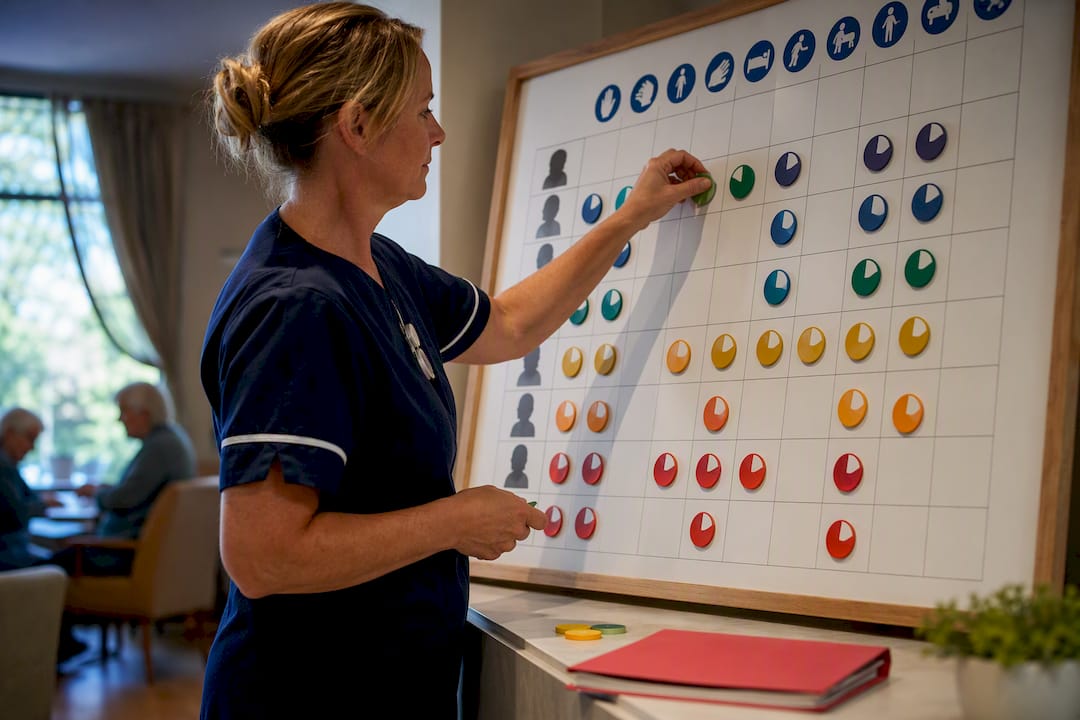
A skills matrix maps every staff member against the skills each shift needs, so managers can staff only qualified people and stop relying on the one person who happens to know how to do a job. Used properly, it turns rostering from guesswork into a rule you can check against. Platforms such as Timeprof exist to keep that matrix live and connected to the rota itself, rather than sitting in a spreadsheet nobody updates after month one.
TL;DR:
- Focus on tracking only critical licenses, site-specific skills, and shortage areas rather than an exhaustive list of every skill.
- Build the matrix from the shift roster, with clear proficiency definitions and real-time updates triggered by events like renewals or role changes.
- Use the skills matrix as a hard constraint for rostering, ensuring only qualified staff are scheduled for specialized or safety-critical tasks.
- Connect the skills data to automated scheduling systems with embedded requirements, audit trails, and role-based access for reliable, real-time rota validation.
- Keep the matrix small, owner-managed, and reviewed through actual events to prevent decay and ensure accurate shift coverage.
Table of Contents
- What is a skills matrix and what proficiency scale should you use for scheduling?
- How do you build a skills matrix for shift planning, step by step?
- How do you use a skills matrix when creating rotas and covering shifts?
- How do you keep skills data connected to automated scheduling?
- What mistakes make a skills matrix unreliable for scheduling?
- What should a skills-matrix template for scheduling include?
- From spreadsheets to a live rota: what actually matters
- How Timeprof turns your skills matrix into a working rota
- Sources
What is a skills matrix and what proficiency scale should you use for scheduling?
A skills matrix is a grid: people down one side, skills across the top, and a score in each cell showing how competent that person is at that skill. Most operational matrices use a proficiency scale with defined levels from no exposure to the ability to train others. For scheduling purposes, level 3 or above is usually the threshold for staffing a shift unsupervised, based on the framework Coursera’s guide to skills matrices sets out.
The trap most teams fall into is trying to track everything. A matrix with 80 skills becomes a document nobody maintains. Aim for a modest number of skills that genuinely determine who can work a shift.
Focus on:
- Licences and certifications with legal or safety weight (first aid, food hygiene, forklift tickets)
- Site or station skills tied directly to shift coverage (till operation, specific machinery, key holding)
- Skills flagged as shortage areas in your sector, which the Employer Skills Survey 2024 tracks across UK industries
- Cross-training skills that reduce single points of failure
Rate against evidence, not impression. A supervisor’s gut feeling that someone is “pretty good” at something is not a qualification. ONS research on skill and qualification suitability shows how badly mismatched skills and roles drag down output, and the same logic applies at shift level: put an unqualified person on a skilled task and the whole shift underperforms, or worse, becomes unsafe.
How do you build a skills matrix for shift planning, step by step?
Building the matrix backwards from the rota, rather than as an HR exercise, is what makes it usable on a Monday morning rather than filed away.
- Decide the scheduling unit. Is this matrix for one site, one team, or one production line? Scope it narrow enough to stay accurate.
- List the skills that actually gate a shift assignment. Map each one to the shifts and stations it affects, not to a generic job description.
- Write proficiency definitions before you rate anyone. “Level 3: can run this station unsupervised and has completed the required certification” is a rule. “Level 3: good” is not.
- Assess current staff against those definitions. Flag any skill where fewer than two people sit at level 3 or above. That is a single point of failure waiting to bite you on the next sick day.
- Publish the matrix where scheduling actually happens. A spreadsheet on a shared drive nobody opens is worse than no matrix, because it creates false confidence.
- Assign a named owner. Someone has to update it when a qualification lapses, a role changes, or a staff member leaves.
- Build in review triggers, not just a calendar date: every certification renewal, promotion, or exit should prompt an automatic matrix check.
Pro Tip: Run your first pass on paper with two supervisors in the room. You will catch informal skills, and disagreements, that a self-assessment form always misses.
How do you use a skills matrix when creating rotas and covering shifts?
The matrix earns its keep the moment you use it as a filter, not a reference document. Before assigning anyone to a shift, check whether they clear the proficiency bar that shift requires.
- Treat skill match as a hard constraint: nobody goes on a shift requiring level 3 competency if they are rated level 2 or below.
- Use pairing rules deliberately: a level 2 worker can often be rostered alongside a level 4 mentor to build experience, provided the shift does not depend solely on the trainee.
- When someone calls in sick, check the matrix first, not the phone list. It tells you instantly who else clears the bar for that station.
- Layer soft constraints on top once hard constraints are satisfied: staff preferences, fairness of hours, and travel distance all matter, but only after the shift is legally and safely staffed.
This is exactly the pattern manufacturing scheduling has used for years. Production teams treat an operator × workcentre × certification matrix as a feasibility test. If no certified operator is on shift, the job simply cannot run, according to production scheduling guidance on operator certification matrices. Care rotas, security details and hospitality shifts follow the same logic, just with different certifications. For availability data that feeds this same decision, a manager’s guide to staff availability patterns is worth pairing with your matrix.
How do you keep skills data connected to automated scheduling?
A matrix that lives apart from the rota decays fast. The point of connecting the two is that every shift template carries its own skill requirement field, and every assignment gets checked against it before it is confirmed.
Look for these features when choosing or building a system:
- Shift templates with embedded skill and certification requirements, not free text notes
- Automated assignment validation that blocks an unqualified booking before it is published
- Role-based access control so only the matrix owner can edit ratings
- Audit-ready records showing who rated whom, when, and against what evidence
- Geofenced clock-in data that confirms the qualified person actually turned up where they were scheduled
Open-source scheduling projects show the technical mechanics clearly: skills are encoded as hard constraints, preferences as soft constraints, and an optimiser resolves the two, as demonstrated in scheduling constraint patterns on GitHub. A single source of truth also gives you something a spreadsheet never can: a real-time audit trail showing exactly why a given person was scheduled for a given shift, which matters enormously if a regulator or client ever asks. For the wider case on this, see how skills matching reduces rostering errors.
Pro Tip: When you first connect skills data to an automated scheduler, run it in shadow mode for two weeks, comparing its suggested rota against what your supervisor actually builds, before letting it publish live shifts.
What mistakes make a skills matrix unreliable for scheduling?
Most failed matrices die from the same handful of causes.
- Rating without evidence. A self-declared “level 3” with no certification behind it is a liability, not data.
- Scope creep. Sixty skills sounds thorough but guarantees the matrix goes stale within a quarter. Stick to the 10 to 20 that actually gate a shift, a discipline Harmony’s operational guidance also recommends.
- No named owner. If updates are “everyone’s job”, they are nobody’s job.
- Static review dates instead of event triggers. A qualification lapsing mid-quarter should update the matrix immediately, not at the next scheduled review.
- Ignoring single points of failure. If only one person clears a critical skill, that is a training priority, not a footnote.
Track two simple KPIs to catch problems early: shift coverage rate against skill requirements, and average time to fill a gap when someone with a critical skill is unavailable.
What should a skills-matrix template for scheduling include?
A usable template needs an owner, a scope, a skill list capped at 20 items, a proficiency legend, risk flags for single points of failure, and a review cadence tied to real events, not just a date on the calendar.
| Element | What it should contain |
|---|---|
| People × skills grid | Staff names down the side, 10 to 20 shift-critical skills across the top |
| Proficiency legend | scale with a written, evidence-based definition for each level |
| Risk flag column | Marks any skill where fewer than two staff sit at level 3 or above |
| Training queue | Names of staff progressing towards the next level, with target dates |
For a single site, one matrix owned by the shift supervisor is enough. Multi-site organisations should roll matrices up to a regional dashboard while keeping ownership local, since the person closest to the shift is the one who actually knows if a rating is still accurate. Publish it wherever the rota gets built, whether that is a shared platform or a scheduling tool, because a matrix that lives somewhere else never gets checked in time.
From spreadsheets to a live rota: what actually matters
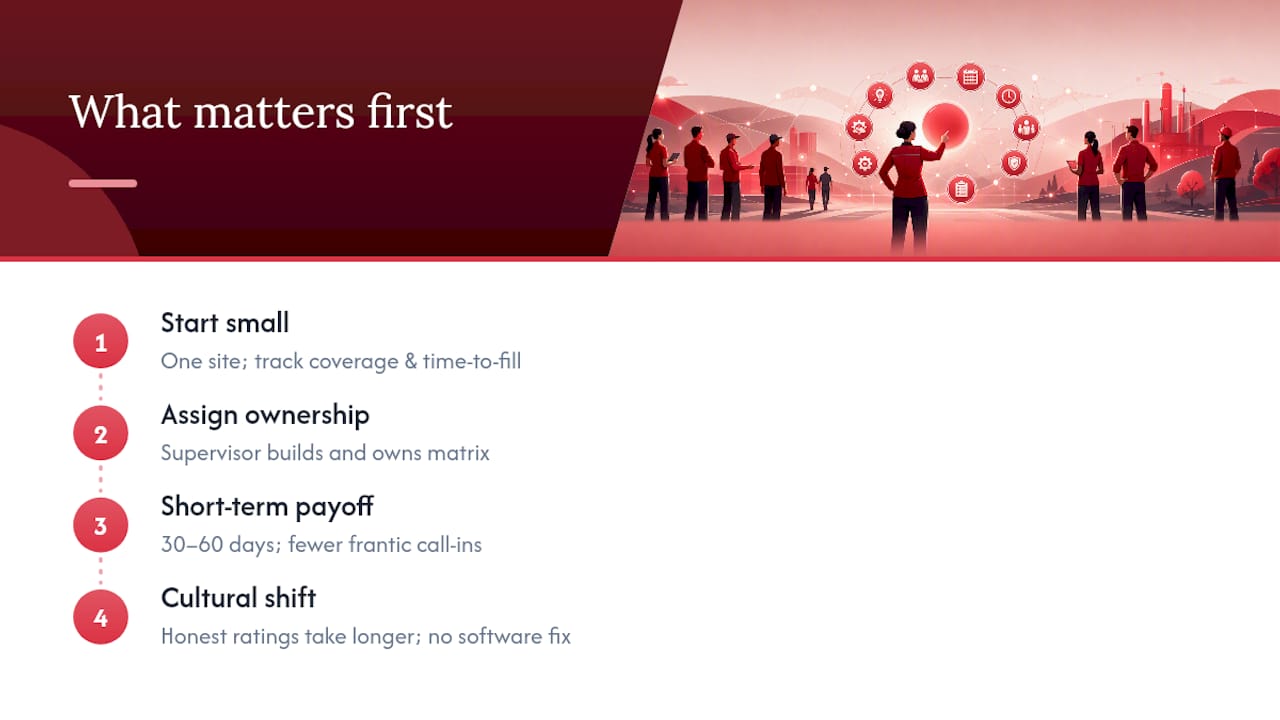
Start small. Pick one site, track two KPIs (coverage rate and time to fill a gap), and prove the matrix works before rolling it out anywhere else. The supervisor who builds the rota should own the matrix. Nobody else feels the pain of a bad rating quickly enough to fix it.
Expect the first payoff within 30 to 60 days: fewer frantic phone calls when someone calls in sick, because the matrix already tells you who else qualifies. The harder cultural shift, getting staff to accept honest ratings rather than inflated ones, takes longer, and no software fixes that on its own.
— Michael
How Timeprof turns your skills matrix into a working rota
A live system replacing spreadsheet-and-phone-call versions can have skill requirements embedded inside each shift, helping avoid the chaos of double-booked staff as explained in Scheduling field techs without the double-booked truck — MyBizApps Blog. Set a station’s required skill level once, and every future assignment gets checked automatically, with role-based access controlling who can edit ratings and an audit trail recording every change.

That matters most on the days that used to cause chaos: a sudden absence, a compliance spot check, a new site opening with different certification rules. Geofenced clock-in can confirm the qualified person actually arrived where they were scheduled, and reporting can provide coverage and gap-fill figures needed to demonstrate the system’s effectiveness. If your current process still runs on a shared spreadsheet and a WhatsApp group, a workforce management tools checklist is a useful place to compare what you have against what a proper platform offers. When you are ready to see it against your own rota, book a demo at Timeprof.
Sources
For deeper detail, see the Employer Skills Survey 2024, ONS skill suitability analysis, and the Assessment of priority skills to 2030.
- Employer Skills Survey 2024
- Understanding skill and qualification suitability in the labour market — ONS
- Demystifying the skills matrix: a strategic guide — Coursera