Shift management system explained for busy managers
Discover how a shift management system explained empowers busy managers with streamlined scheduling, real-time attendance tracking, and compliance.

A shift management system is a software platform designed to organise and oversee employee shifts, giving managers real-time control over scheduling, attendance, and compliance in one place. The industry term for this category is shift workforce management software, and it covers everything from posting a shift to verifying who clocked in. For managers in healthcare, security, hospitality, and cleaning, this is not a luxury. Shift-based programmes in hospitality or logistics can exceed 1,000 monthly shifts, making manual handling impossible at any meaningful scale. A dedicated system replaces spreadsheets, phone calls, and disconnected tools with a single, accurate record that both managers and staff can trust.
What does a shift management system actually do?
A shift management system combines scheduling, attendance tracking, and compliance monitoring into one platform. That integration is what separates it from a basic rota tool or a general HR system. Each function feeds the others: a posted shift triggers a notification, a clock-in confirms attendance, and the system logs both for payroll and compliance purposes.
The core functions managers rely on include:
- Shift scheduling and publishing. Managers build rotas based on staff availability, skills, and site requirements. Open shifts are posted instantly, and staff can claim them through a mobile app.
- Attendance verification. QR codes, facial recognition, and geofencing verify that the right person clocks in for the right shift, eliminating buddy punching before it happens.
- Compliance and pay rule automation. Shift differentials, overtime thresholds, and site-specific pay rates are calculated automatically. This removes the manual corrections that plague teams using general HR tools.
- Real-time shift fulfilment. When a gap appears, the system alerts available staff or coordinates with staffing agencies. Supplier collaboration and performance tracking happen within the same platform.
- Communication tools. Automated notifications push shift changes to staff via mobile or SMS. Staff can update their availability, request swaps, and receive confirmations without calling a manager.
Pro Tip: Configure your system to send notifications at least two hours before a shift gap becomes critical. Reactive alerts sent too late leave managers scrambling with no viable cover options.
Real-time budget tracking lets managers see the financial impact of every shift change as it happens. That visibility prevents payroll surprises at the end of the month.

How does a shift management system improve efficiency and staff satisfaction?
The biggest operational gain from shift management software is the elimination of a single source of error: the manual rota. When scheduling, attendance, and payroll data live in separate tools, discrepancies multiply. A unified platform removes that gap entirely.
“Effective shift management balances scheduling efficiency with employee autonomy by integrating self-service tools accessible on mobile devices, improving both engagement and accountability.”
The practical benefits for managers are direct and measurable:
- Fewer payroll corrections. Automated rules handle overtime and differentials, so payroll receives clean data rather than a list of manual adjustments.
- Immediate gap response. Real-time visibility lets managers spot a no-show the moment it happens, not an hour into the shift. In healthcare and security, that response time protects service levels.
- Reduced unauthorised hours. Geofencing and QR verification mean staff can only clock in at the right location for the right shift. Unauthorised hours drop significantly.
- Higher staff engagement. When staff can view their rota, swap shifts, and update availability from a phone, they feel more in control. That autonomy reduces last-minute absences and improves retention.
- Clearer communication. Automated alerts via mobile apps reduce the confusion that comes from relying on group chats or phone calls to communicate changes.
The engagement point deserves emphasis. Staff who receive clear, timely information about their shifts are less likely to miss them. A system that keeps staff informed is also a system that keeps rotas filled.
What are best practices for implementing a shift management system?
Getting the most from shift management software depends on how you configure and roll it out. The technology alone does not fix a broken process. The process has to change too.
-
Choose a platform built for shift work. Retrofitting general HR tools for shift management creates gaps in pay rule handling and real-time fulfilment. Select a platform designed specifically for shift-based workforces from the outset.
-
Configure your pay rules before go-live. Shift differentials, bank holiday rates, and overtime thresholds must be built into the system before the first rota goes live. Correcting these after launch is time-consuming and erodes staff trust.
-
Integrate supplier and agency workflows. If your operation relies on agency staff, the system must connect to those suppliers in real time. Multi-supplier coordination within a single platform prevents the delays that come from managing agencies by email or phone.
-
Use proactive attendance tools, not retrospective ones. Reviewing attendance reports after a shift ends tells you what went wrong. Geofenced clock-in and real-time dashboards tell you what is going wrong right now, while you can still act.
-
Train staff on the self-service features first. Managers often focus on their own training and overlook frontline workers. Staff who understand how to claim shifts, update availability, and swap with colleagues reduce the administrative load on managers from day one.
-
Audit your data regularly. Run operational reports monthly to identify patterns: which sites have the most no-shows, which staff have the highest swap rates, which shifts go unfilled most often. That data shapes better rotas over time.
Pro Tip: Run a two-week parallel period where both the old process and the new system operate simultaneously. This catches configuration errors before they affect payroll.
How does shift management software differ from general workforce management tools?
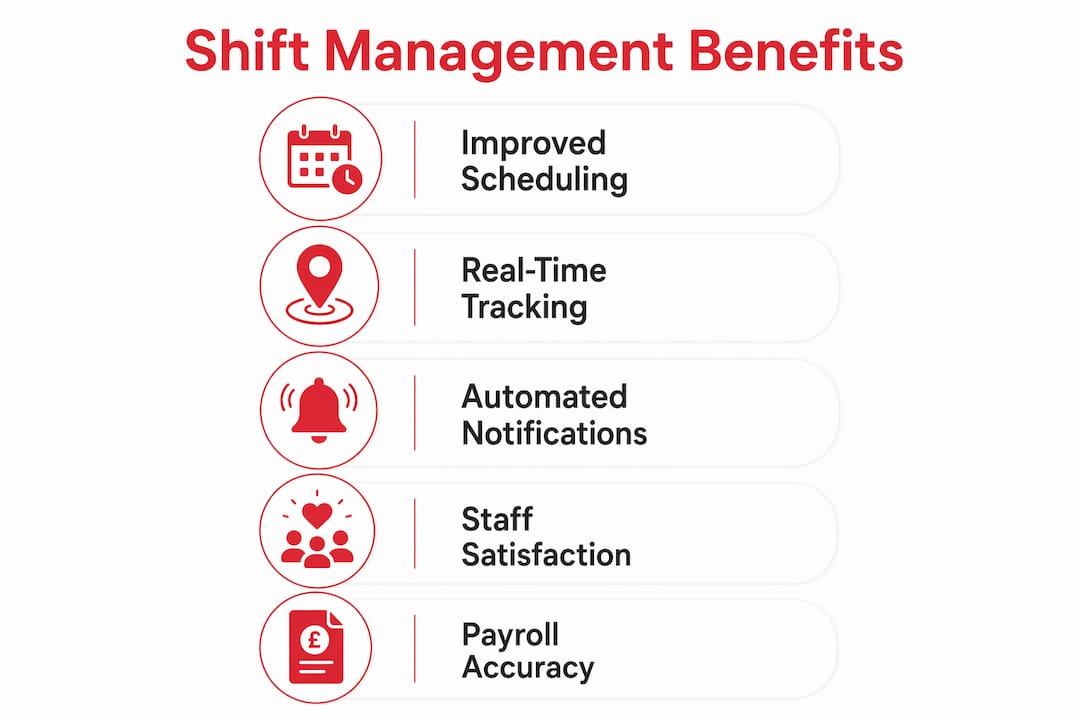
General workforce management software handles permanent staff on fixed contracts well. It manages annual leave, appraisals, and monthly payroll with accuracy. Shift management software solves a different problem entirely.
Shift-based workforce management handles extremely volatile scheduling needs, with many shifts filled within 24–48 hours rather than planned months in advance. That volatility demands features that general HR platforms simply do not include.
| Feature category | General workforce management | Shift management software |
|---|---|---|
| Scheduling cycle | Monthly or quarterly planning | Real-time, often within 24–48 hours |
| Attendance capture | Manual timesheets or basic clock-in | Geofencing, QR codes, facial recognition |
| Pay rule complexity | Standard salary or fixed hourly rates | Differentials, overtime, multi-site rates |
| Shift fulfilment | Not applicable | Open shift posting, agency coordination |
| Communication | Email or HR portal | Mobile push notifications, in-app messaging |
| Compliance reporting | Annual or periodic | Audit-ready, real-time |
The distinction matters most in industries where a single unfilled shift has immediate consequences. A missing security officer or an understaffed ward cannot wait for a monthly HR review. Integrated scheduling and attendance in a single platform gives managers the speed and accuracy that general tools cannot match.
A specialised shift management platform should not be an add-on to a general HR system. It should be the operational core that everything else connects to.
Key takeaways
A shift management system is the operational foundation for any business running a shift-based workforce, combining scheduling, attendance, compliance, and communication into one reliable platform.
| Point | Details |
|---|---|
| Core definition | A shift management system unifies scheduling, attendance, and compliance in one platform. |
| Real-time gap response | Live dashboards let managers act on no-shows immediately, protecting service levels. |
| Attendance verification | Geofencing and QR clock-in prevent buddy punching and unauthorised hours before they occur. |
| Specialised over general | General HR tools lack the real-time fulfilment and pay rule features shift work demands. |
| Staff self-service | Mobile self-service tools increase staff accountability and reduce manager workload. |
Why most shift management problems are actually data problems
I have worked with managers across security, cleaning, and hospitality who describe the same frustration: they spend more time chasing information than making decisions. Who is on site right now? Has the agency confirmed cover for tonight? Did that swap actually go through? These are not scheduling questions. They are data questions.
The uncomfortable truth about shift management is that most of the pain comes from fragmented information, not from difficult staff or complex rotas. When attendance data lives in one system, shift records in another, and agency confirmations in an email thread, managers are constantly reconciling rather than managing. The rota becomes a best guess rather than a reliable plan.
What I have seen work consistently is treating the shift management platform as the single source of truth from day one. Not a tool that feeds data into other systems, but the authoritative record that managers and staff both refer to. That shift in thinking changes how teams use the software. Staff stop texting managers about their shifts because the app tells them. Managers stop chasing agencies because the system shows confirmed cover in real time.
The mobile self-service element is underestimated. Frontline workers in cleaning or hospitality are not sitting at desks. A platform that works on a phone, sends clear notifications, and lets staff manage their own availability removes a significant layer of back-and-forth. Engagement goes up because staff feel informed rather than managed.
The implementation mistake I see most often is going live with incomplete pay rule configuration. Managers rush to get the rota working and leave differentials and overtime rules for later. Later never comes cleanly. Configure the pay rules first, even if it delays launch by a week.
— Michael
How Timeprof supports shift-based workforce management
Timeprof is built specifically for the challenges described in this article. It brings scheduling, attendance, compliance, and communication into one mobile-friendly platform, giving managers real-time visibility across every site and shift.

The platform covers open shift posting and claims, geofenced clock-in, automated notifications, skills-based scheduling, and audit-ready compliance reporting. Staff access their rotas, availability, and shift swaps through a secure self-service portal on their phones. Managers get live dashboards rather than end-of-day reports. For businesses in security, healthcare, hospitality, or cleaning that are still relying on spreadsheets and phone calls, Timeprof’s workforce intelligence platform offers a direct path to accurate, real-time workforce control without the complexity of stitching together separate tools.
FAQ
What is a shift management system?
A shift management system is a software platform that handles employee shift scheduling, attendance tracking, and compliance in one place. It is designed for industries with variable, high-volume shift patterns such as healthcare, security, and hospitality.
How does shift scheduling software reduce payroll errors?
Shift scheduling software automates complex pay rules including differentials and overtime, feeding accurate data directly to payroll. This removes the manual corrections that arise when attendance and scheduling data are held in separate tools.
What attendance verification methods do shift management systems use?
Modern shift management platforms use geofencing, QR code scanning, and facial recognition to verify clock-ins against approved shifts in real time. These methods prevent buddy punching and unauthorised hours before they appear on a timesheet.
Why can’t general HR software manage shift workers effectively?
General HR software is built for fixed-contract staff on monthly planning cycles. It lacks real-time shift fulfilment, multi-supplier coordination, and the complex pay rule handling that shift-based workforces require.
What are the key benefits of shift management software for managers?
The primary benefits are real-time gap visibility, automated compliance, reduced payroll corrections, and improved staff communication through mobile self-service tools.