Track annual leave requests online: the manager's guide
Discover how to track annual leave requests online effortlessly with Timeprof. Streamline approvals, balances, and payroll integration for your team.

For small UK businesses, the fastest and most reliable way to track annual leave requests online is a single mobile-first workforce platform. Timeprof centralises requests, balances, approvals and your team calendar in one place, so nothing falls through the cracks between a WhatsApp message and a spreadsheet column.
Three reasons this approach beats spreadsheets and email immediately:
- Central calendar with real-time balances. Every request updates the shared calendar and the employee’s remaining entitlement the moment it is approved. No manual tallying at month end.
- One-click approvals with a full audit trail. Managers approve or decline from their phone in seconds. Every decision is timestamped and stored, which matters when a payroll query or tribunal arises.
- Payroll and rota integrations. Leave data flows directly to your payroll and scheduling tools, removing the reconciliation step that costs payroll administrators hours each month.
Most teams are live within a day. Book a demo or start a free trial to see it with your own data.
Table of Contents
- What does an online annual leave tracker actually do?
- Why moving from spreadsheets saves managers real time
- How Timeprof handles annual leave tracking
- What setup and pricing look like for small UK businesses
- How to evaluate and choose an online leave-tracking tool
- Key takeaways
- Why the leave tracker problem is harder than it looks
- Timeprof: what the trial includes and how to get started
- Further reading and authoritative sources
What does an online annual leave tracker actually do?
An online leave tracker replaces the inbox threads and shared spreadsheets most managers still rely on. At its core, it is a centralised system where employees submit requests digitally, managers approve or decline them, and every change updates a shared record automatically.
The features managers use every day fall into a clear pattern:
| Feature | What it does for you |
|---|---|
| Shared team calendar | Shows who is off, when, across all sites at a glance |
| Entitlement and balance tracking | Calculates remaining days in real time, including accruals |
| Request and approval workflow | Routes requests to the right manager; one click to decide |
| Notifications | Alerts managers to new requests; alerts staff to decisions |
| Leave type management | Separates annual leave, sick leave, TOIL, parental leave |
| Compliance reporting | Exports audit-ready records for payroll and HR reviews |
| Mobile self-service | Staff submit and check balances from any device |
The central data model is what removes the reconciliation problem. When a request is approved, the balance drops, the calendar updates, and the payroll export reflects the change. There is no second system to update manually.
Why moving from spreadsheets saves managers real time
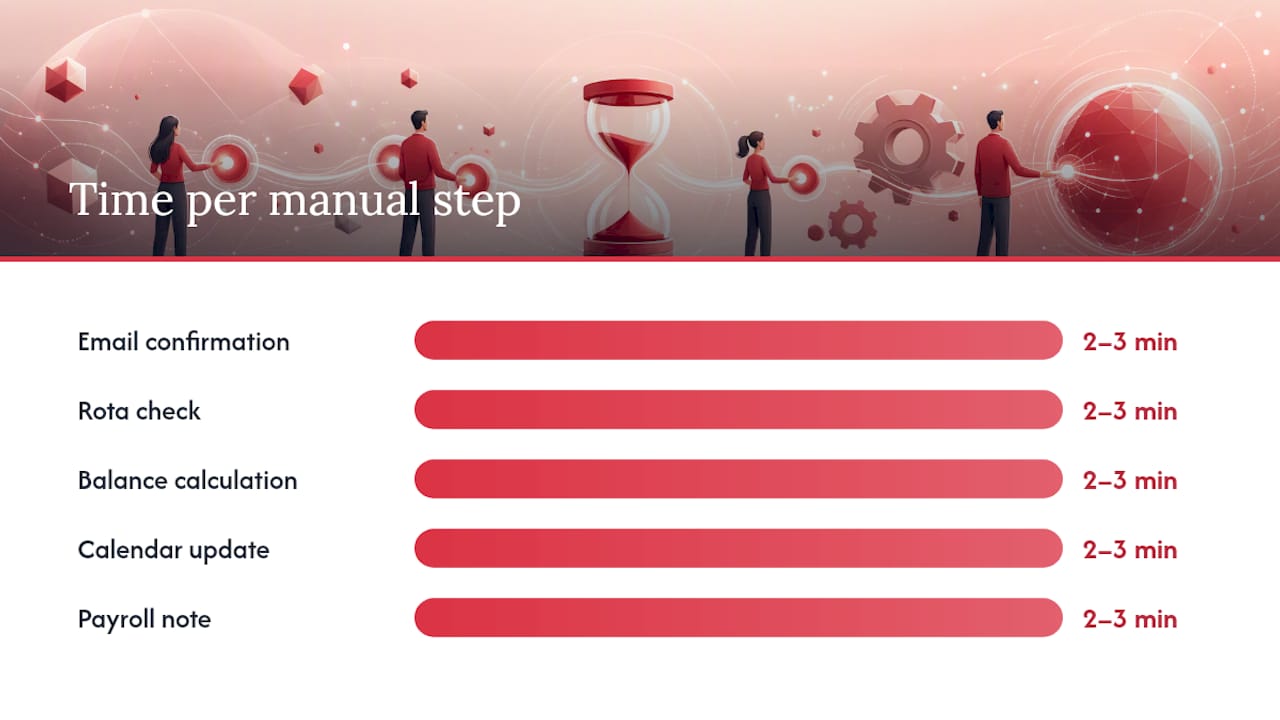
The hidden cost of spreadsheet-based leave tracking is not the spreadsheet itself. It is the chain of manual steps that follows every request: the email to confirm receipt, the check against the rota, the balance calculation, the calendar update, the payroll note. Each step takes two or three minutes. Across a team of 40 staff and a year of requests, that adds up to a significant block of avoidable administration.
The practical gains managers report after switching to an online leave management system are consistent:
- Fewer rota clashes, because the shared calendar flags conflicts before approval rather than after.
- Accurate payroll inputs, because leave data exports directly rather than being transcribed.
- A clear audit trail, which removes the “I never received that request” disputes that surface at appraisal time.
- Reduced manager interruptions, because staff check their own balances rather than asking HR.
Consider a common scenario: two employees on a 10-person care team both request the same week in August. In a spreadsheet system, the second request might not be spotted until the rota is built. In an online tracker, the calendar shows the clash the moment the second request is submitted, and the manager can decline with a note before any expectation is set. That single prevention is worth the cost of the tool.
Mobile self-service matters here too. When a manager can approve a request from their phone during a site visit, the average response time drops from days to hours. Staff get certainty faster, and the manager’s inbox stays clear.
How Timeprof handles annual leave tracking
Timeprof’s leave and workforce management platform covers every dimension a small UK business needs, from basic entitlement tracking to multi-site compliance reporting.
| Dimension | Timeprof capability |
|---|---|
| Calendar | Shared team calendar with colour-coded leave types; multi-site view |
| Entitlements | Configurable accruals, carryover caps, probation lockouts, half-day support |
| Approvals | Role-based approval chains; one-click approve/decline with comment |
| Pricing / trial | Tiered per-seat monthly subscription; free trial and live demo available |
| Integrations | Payroll and rota data export; real-time notifications via app and messaging |
| Compliance reporting | Audit-ready logs, timestamped decisions, exportable records |
| Mobile access | Mobile-first staff portal; manager approvals from any device |
The entitlement engine handles the details that trip up spreadsheets. Accruals calculate automatically based on the working week you configure. Carryover rules cap how many days roll into the new leave year. Probation lockouts prevent new starters from booking leave before their qualifying period ends. Public holidays are factored into day counts, so a request spanning a bank holiday does not silently consume an extra day from the employee’s allowance. Half-day requests work without any workaround.
Security is built in rather than bolted on. Role-based access means a team leader sees only their team’s records. Two-factor authentication protects manager and admin accounts. Every approval, decline, edit, and export generates an audit record, which is exactly what you need if a payroll discrepancy or an employment tribunal query ever arises. Data exports for payroll are structured and timestamped, removing the manual transcription that introduces errors at payroll time.

Pro Tip: Set your carryover cap and probation lockout rules before you invite staff. In UK employment contracts, carryover entitlements vary widely. Getting these configured correctly from day one prevents balance disputes later and saves a correction exercise at the end of the leave year.
What setup and pricing look like for small UK businesses
Getting a 30–80 person team onto an online tracker is a one-day job when the data is prepared in advance. The migration checklist is short:
- Export current leave balances from your spreadsheet as a CSV file.
- Configure your working week (days, hours, and any part-time patterns).
- Import UK public holidays for the current and next leave year.
- Set up leave types: annual leave, sick leave, TOIL, parental leave, and any custom types.
- Configure accrual rules, carryover caps, and probation lockout periods.
- Set approval chains: who approves for which team or site.
- Invite staff via email; they complete self-service onboarding in minutes.
The decisions that take the most time are not technical. Carryover rules and approval chains require a conversation with HR or a review of your employment contracts before you configure them. Budget an hour for that conversation and the actual setup is fast.
Pricing across the market follows a per-seat monthly model. Entry-level tiers typically cover core leave tracking and calendar features. Higher tiers add payroll integrations, advanced reporting, and multi-site management. Free trials are standard, and some providers offer a freemium tier for very small teams, though these often cap the number of users or restrict reporting features. The leave management software market overview confirms that trial periods and tiered pricing are the norm, so you should expect to test with real data before committing.
Timeprof offers a free trial and a live demo. The demo is worth booking even if you plan to self-serve, because the onboarding team can pre-configure carryover and accrual rules based on your contracts during the session.
How to evaluate and choose an online leave-tracking tool
Use this checklist during vendor demos. The HR evaluation checklist covers the full scope; the questions below focus on leave tracking specifically.
Questions to ask every vendor:
- Does the system integrate with our payroll software, and what does the export look like?
- Is there a mobile app for both managers and staff, or only a browser interface?
- How does the system handle UK public holidays and part-time entitlement calculations?
- Can we configure multiple leave types with different accrual and carryover rules?
- What does the audit log capture, and can we export it for compliance purposes?
- Is single sign-on (SSO) available, and what authentication options exist?
- What onboarding support is included, and how long does a typical setup take?
Red flags to watch for:
- Balance edits that leave no audit record. If a manager can change a balance without a log entry, you have no reliable record for payroll or disputes.
- No structured data export. A system that cannot produce a clean CSV or API output for payroll forces manual transcription, which defeats the purpose.
- Poor mobile experience for staff. If the self-service portal is not genuinely mobile-friendly, adoption will be low and managers will still receive requests by text.
- Opaque pricing with feature gates that only appear after sign-up.
Must-have vs nice-to-have for SMBs:
| Priority | Criteria |
|---|---|
| Must-have | Real-time balances, approval workflow, shared calendar, audit log, payroll export |
| Must-have | UK public holiday support, mobile access for staff and managers |
| Nice-to-have | SSO, Slack/Teams integration, multi-site dashboard, advanced analytics |
| Nice-to-have | Geofenced clock-in, shift-linked leave rules, custom approval chains |
The workforce management alternatives guide is useful context when you are comparing feature sets across vendors.
Key takeaways
Moving to an online leave tracker removes the manual steps that cost managers hours each month and introduces the audit trail that protects the business.
| Point | Details |
|---|---|
| Start with a free trial | Test with real employee data before committing; most setup decisions take one day. |
| Configure rules before inviting staff | Set carryover caps and probation lockouts to match your UK contracts from day one. |
| Connect payroll and rota | Integrations remove manual transcription and prevent reconciliation errors at payroll time. |
| Measure success after some weeks to months by tracking admin hours saved, payroll queries reduced, and rota clashes avoided. | |
| Timeprof recommendation | Timeprof covers leave, rota, attendance and compliance in one mobile-first platform with a free trial. |
Why the leave tracker problem is harder than it looks
Most managers underestimate how much of the leave-tracking problem is a data integrity problem, not a process problem. The spreadsheet is not the issue. The issue is that the same piece of information (an approved leave day) lives in at least three places: the spreadsheet, the rota, and the payroll record. Every time a human copies it from one to another, there is a chance of error. The tracker does not just speed up the process; it collapses those three records into one.
The other thing that gets overlooked is the employee experience. When staff cannot see their own balance without asking HR, they ask HR. Constantly. A self-service portal that shows a live balance and the team calendar before the employee even submits a request removes that entire category of interruption. Managers who have made the switch consistently describe this as the change they notice most in the first month.
The compliance angle matters more than many small businesses realise. Under the Working Time Regulations 1998, workers are entitled to 5.6 weeks of paid annual leave. Accurate records are not optional. An audit trail that timestamps every request and decision is the difference between a confident response to an employment tribunal query and a frantic search through old email threads.
Timeprof: what the trial includes and how to get started
Spreadsheets have a ceiling. Once your team passes 15–20 people, the manual steps compound faster than any one manager can keep up with. Timeprof is built for exactly that inflection point.

The free trial gives you the full platform: leave tracking, shared calendar, approval workflows, mobile staff portal, and compliance reporting. Onboarding support is included, so you are not configuring carryover rules alone. The demo goes further: the team will walk through your specific leave types, approval chains, and payroll export requirements so you leave with a configured system, not a blank template.
Security is enterprise-grade from day one: two-factor authentication, role-based access, and a full audit trail on every action. Decision-makers who need to satisfy a data protection review will find the controls are already in place.
Start a free trial or book a live demo and see how quickly your team can move from inbox chaos to a single, reliable record.
Further reading and authoritative sources
- Time Prof – From Rota to Workforce Intelligence -
- Top 6 rotasheet.com Alternatives for Workforce Management 2026 - TimeProf
- Workforce management tools checklist: 2026 guide for HR - TimeProf
- How to automate overtime calculation for your workforce - TimeProf
- Manage staff availability patterns: a manager’s guide - TimeProf
- Top 6 Best Leave Management Software Alternatives 2026