Pilot AI Scheduling on 2–3 Sites to Cut 3–10 Hours Weekly for Shift Managers
Practical how‑to for shift managers: pilot AI scheduling on 2–3 sites, require live data access, run stress tests, and preserve staff trust while saving...

AI scheduling means AI-powered rostering software that builds and adjusts shift patterns automatically, not a calendar tool that finds meeting slots. Done properly, it cuts the hours managers spend building rotas, distributes shifts more fairly across staff, and catches conflicts before they become no-shows or payroll disputes. The sensible first move isn’t full automation. Run any tool in recommendation mode for a few weeks, check its drafts against reality, and only hand over more control once it’s proven itself on your data.
TL;DR:
- Vendors should demonstrate real-time data integration and the ability to flag conflicts or fatigue risks before full deployment.
- Stress testing involves simulating sick calls, multi-site shifts, and overtime-causing swaps to validate system responsiveness and logging.
- Staff trust improves when frontline input shapes rules, and clear governance ensures ongoing rule relevance and data accuracy.
- Pilot programs need to measure fill rates, manual edits, staff satisfaction, and preserve audit trails to identify operational issues early.
- Recommendations should start with assistance mode, allowing managers to review and approve drafts before increasing automation levels.
Table of Contents
- What AI scheduling does and how it works
- Does AI scheduling actually save time and improve fairness?
- What should you require from an AI scheduling vendor?
- How do you pilot and stress-test AI scheduling before rollout?
- How do you implement AI scheduling without losing staff trust?
- A practical checklist from inside the industry
- Get your rota decisions right with Time Prof
- Sources
What AI scheduling does and how it works
AI scheduling, in the sense that matters for shift-based operations, is software that generates and adjusts rosters based on rules, forecasts and real staff data. It has nothing to do with meeting-booking assistants. It’s built to solve a different problem: who works which shift, at which site, with which skills, without breaching working-time rules or blowing the wage budget.
To do that, the engine needs live data: staff availability, approved leave, certifications and site requirements, clocking history, demand signals (footfall, occupancy, call volume), and your pay and compliance rules. Feed it stale exports and you get a brittle draft that needs heavy manual rework. Feed it connected, live data and it earns its keep.
The output is usually three things: an optimised draft roster, a ranked list of fill options for open shifts, and flagged conflicts (double bookings, fatigue risk, missing certifications). Autonomy tends to sit on a spectrum. Assistive tools suggest and wait for approval. Agentic systems act within guardrails you set. Predictive systems flag problems before they happen, such as a likely no-show pattern. Most buyers should start at the assistive end regardless of what a vendor demo makes look effortless.
Does AI scheduling actually save time and improve fairness?
Yes, on both counts, though the evidence has caveats worth knowing before you build a business case around it.
On time: managers commonly lose three to ten hours a week to manual rota building, chasing swaps and fixing errors by phone or spreadsheet. AI scheduling doesn’t remove that job so much as compress it, turning a half-day task into a review-and-approve task measured in minutes once the rules and data are right.
On fairness: a peer-reviewed study of nursing staff found that AI-based shift scheduling improved perceived fairness and transparency and supported better work-life balance, largely because the system applied the same rules to everyone rather than leaving allocation to individual manager judgement. The same research flagged a real risk: staff can feel depersonalised by an algorithm that doesn’t know their circumstances, which is why co-creation and clear explanation of the rules matter as much as the technology.
On operations, McKinsey’s analysis of smart scheduling links productivity gains and fewer scheduling errors directly to connected, modular data setups rather than the algorithm alone. Reducing manual errors specifically is a well-documented benefit; you can read more on that here. None of this replaces a manager who knows why someone needs Tuesday off. It reduces the grunt work around that judgement.
What should you require from an AI scheduling vendor?
Treat the demo as a data test, not a features tour. Ask the vendor to run their engine on a slice of your actual availability, leave, certification and demand data, not their sample dataset. If they hesitate, that tells you something about how their shared data layer actually works under real integration load.
Beyond that, a working checklist for RFPs and demos should cover:
- Live or near real-time data access: time and attendance, leave balances, certifications, and demand signals, not nightly batch exports.
- Interval-level demand forecasting, not just daily headcount guesses.
- A rules and constraints engine covering working-time limits, rest periods, skills and site requirements.
- Fatigue and overtime alerts that fire before a shift is published, not after payroll notices.
- An open-shift marketplace where staff can claim gaps within rules, rather than managers ringing round.
- Approval workflows and full audit history, so every automated change is traceable and reversible.
- Plain-language explanations for why the system recommended a specific person for a specific shift, visible to both managers and staff.
Automation should also stay editable. A draft roster a manager can’t adjust in two clicks isn’t a tool, it’s a bottleneck, and it’s worth reading why automated schedules need to stay editable rather than fully hands-off.
Pro Tip: Ask for the audit trail export during the demo, not after signing. If a vendor can’t show you a change log for a single shift in under a minute, assume your own team won’t be able to either.
How do you pilot and stress-test AI scheduling before rollout?
Pick two or three representative sites and shift types, not your easiest location. Track time-to-draft, fill rate, the number of manual edits managers still make, and staff satisfaction with the shifts they’re actually given. Run everything in recommendation mode first: let the system propose, let managers approve or override, and use the gap between proposal and final roster to fix your rules and data feeds before you even think about raising autonomy.
Then run three specific stress tests, drawn from buyer-testing guidance for healthcare scheduling tools but relevant to any shift-based operation:
- A sick call two hours before a shift. Watch how fast the system surfaces qualified replacements and whether it accounts for fatigue rules.
- A staff member floating across multiple sites in one week. Confirm certifications and site requirements carry over correctly.
- A shift swap that would create overtime or consecutive long shifts. Check the system blocks or flags it, rather than silently approving.
In each case, confirm the platform preserves an unmodified record of the original schedule and logs every approval.
Set rollback triggers before you start, not after something goes wrong: a coverage drop below an agreed threshold, payroll reconciliation errors, or a staff acceptance score that falls rather than rises during the pilot.
How do you implement AI scheduling without losing staff trust?
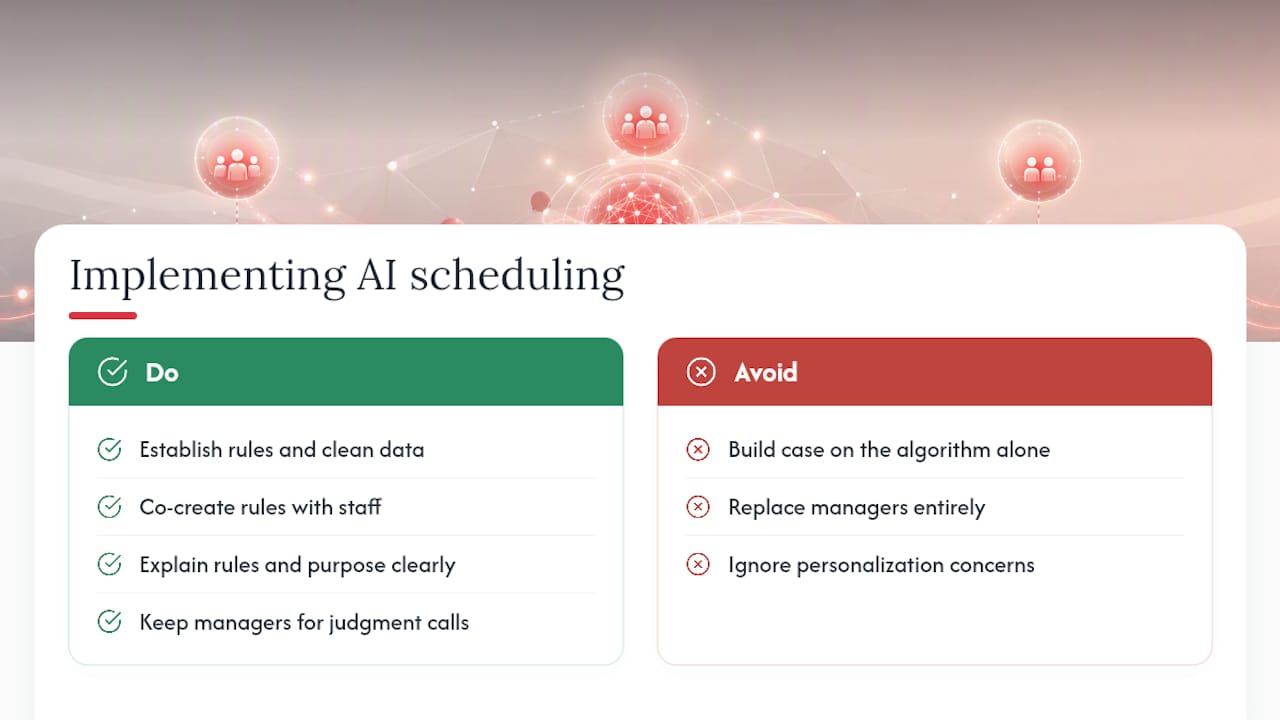
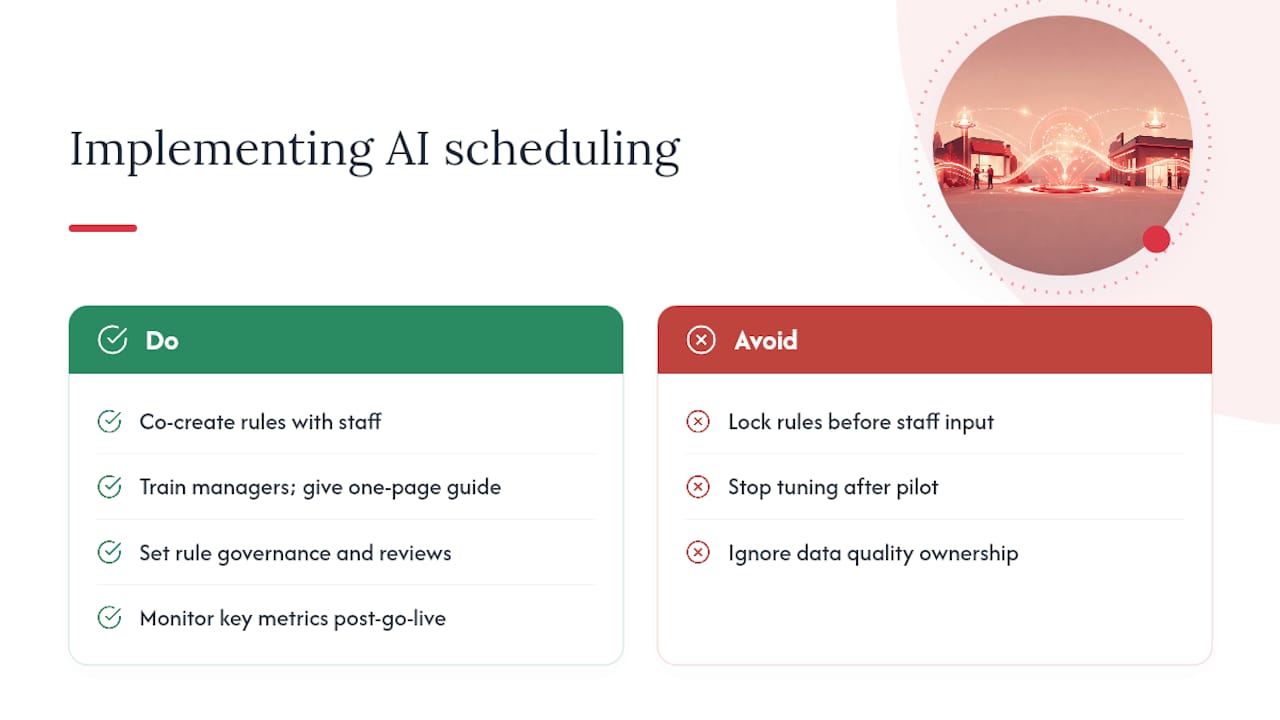
Bring frontline staff and site managers into the design conversation before the rules are locked, not after. Co-creating fairness weightings and swap rules is what separates a tool staff trust from one they route around, according to the same nursing research that found AI scheduling improved perceived fairness in the first place.
Train managers on what the system can and can’t override, and give frontline staff a short, plain guide to how shifts get assigned and who to escalate a dispute to. A one-page reference beats a policy document nobody reads.
Set governance early: name who owns the rule set, how often it’s reviewed, and who’s accountable for data quality feeding the engine. Rules that made sense at launch often stop matching reality within a quarter, particularly in seasonal or high-turnover operations. For the operational side of this, shift planning best practice and guidance on managing availability data are worth reviewing alongside your rollout plan.
Keep watching fill rate, overtime exposure, swap volume and staff satisfaction after go-live, not just during the pilot. Tuning doesn’t stop when the pilot ends; that’s usually when it starts to matter most. Where internal capacity is thin, a firm specialising in automation implementation can help bridge onboarding and change management without slowing the rollout.
A practical checklist from inside the industry
Three demo requests I always make before taking a vendor seriously: show me a live integration pulling real leave and certification data, not a static import; show me what happens when a swap would create overtime; and show me an audit export for a single shift’s full history. If any of those causes a pause, that’s the answer.
The most common buyer mistakes are predictable: rushing straight to full automation because a demo looked slick, trusting the engine with data nobody’s actually audited for accuracy, and running a pilot so narrow it never hits a real edge case. Time Prof’s approach leans deliberately on recommendation mode early on, keeping a manager’s sign-off in the loop until the data and rules have earned more autonomy. That order of operations, data quality before authority, matters more than which vendor logo is on the contract.
— Michael
Get your rota decisions right with Time Prof
This platform offers tools to support intelligent shift planning drafts rosters based on availability, skills and site rules, links attendance data through geofenced clock-in, and provides audit-ready reporting so every swap, approval and override is logged and exportable.

Multi-site dashboards let you run the exact stress tests outlined above, a sick call, a float across sites, a swap that risks overtime, and see how the system responds before you trust it with a full rota. Recommendation mode is built in from day one, so managers approve or edit drafts rather than inheriting a black-box schedule. If you’re ready to test that against your own data, book a Time Prof demo and see what your actual rota looks like once the manual grind is gone.
Sources
- Exploring nurse perspectives on AI-based shift scheduling for fairness, transparency, and work-life balance | BMC Nursing
- Smart scheduling: How to solve workforce-planning challenges with AI | McKinsey
- How to implement AI tools for effective shift scheduling | Glean
- 10 things to know about AI shift scheduling | MangoApps