The best RotaCloud alternatives for UK managers in 2026
Discover the best RotaCloud alternatives for UK managers in 2026. Explore top options like Timeprof for seamless rota planning and payroll.

If you’re looking for RotaCloud.com alternatives, the shortlist below covers the strongest options for UK small and mid-sized businesses. The clear recommended pick is Timeprof: it combines rota planning, geofenced attendance, leave management, and audit-ready compliance reporting in one platform, with UK payroll compatibility and enterprise-grade security that most SMBs on RotaCloud will not find elsewhere at a comparable price point.
Top RotaCloud alternatives for UK managers:
-
Timeprof — recommended for UK SMBs needing integrated scheduling, attendance, and payroll-compatible reporting across one or more sites
-
Deputy — strong choice for complex, recurring shift patterns with AI auto-scheduling
-
Planday — well-suited to hospitality and retail chains with detailed labour cost controls
-
Findmyshift — straightforward rota management for small single-site teams
-
Connecteam — mobile-first app for deskless and field service teams
-
7shifts — purpose-built for restaurants and hospitality front-of-house operations
RotaCloud is a UK-native platform built in York and used by thousands of businesses across care, hospitality, and retail. Its starter pricing begins around £10/month for 1–5 employees, with a time and attendance add-on at roughly £4.50/month. Those are reasonable entry costs, but the platform’s limited native integrations with Xero and QuickBooks push many growing businesses to look elsewhere. Most managers switching away cite payroll integration gaps as the primary reason.
Key takeaways
The strongest RotaCloud alternative for most UK SMBs is Timeprof, which combines scheduling, attendance, compliance reporting, and UK payroll-compatible exports in a single platform without requiring separate tools for each function.
| Point | Details |
|---|---|
| Recommended pick | Timeprof suits UK SMBs needing multi-site scheduling, geofenced attendance, and payroll-compatible exports in one platform. |
| Payroll integration is the priority | Confirm NI/PAYE export compatibility before signing; missing native links are the most common reason managers switch twice. |
| Match tool to sector | Restaurants fit 7shifts; small single-site teams fit Findmyshift; care and security operations fit Timeprof. |
| Migration takes two to six weeks | Export two payroll periods of attendance data before closing RotaCloud; run parallel payroll exports for the first pay period. |
| Trial before you commit | Use the free trial to validate mobile clock-in on your actual sites, especially where coverage or geofencing is required. |
Table of Contents
- How do the top RotaCloud alternatives compare at a glance?
- What does each alternative actually offer?
- How do you choose the right RotaCloud alternative for your UK business?
- What do pricing models actually cost for UK teams?
- Moving from RotaCloud: a practical migration checklist
- Which alternative should you pick for your specific UK scenario?
- What we learned comparing RotaCloud alternatives
- Timeprof: a practical next step for UK managers ready to switch
- Sources
How do the top RotaCloud alternatives compare at a glance?
The table below maps each alternative against the dimensions UK managers ask about most: sector fit, pricing shape, core scheduling, time and attendance, UK payroll compatibility, and free trial availability. Columns are populated from publicly listed information; where a detail is not publicly listed, the cell shows “—”.
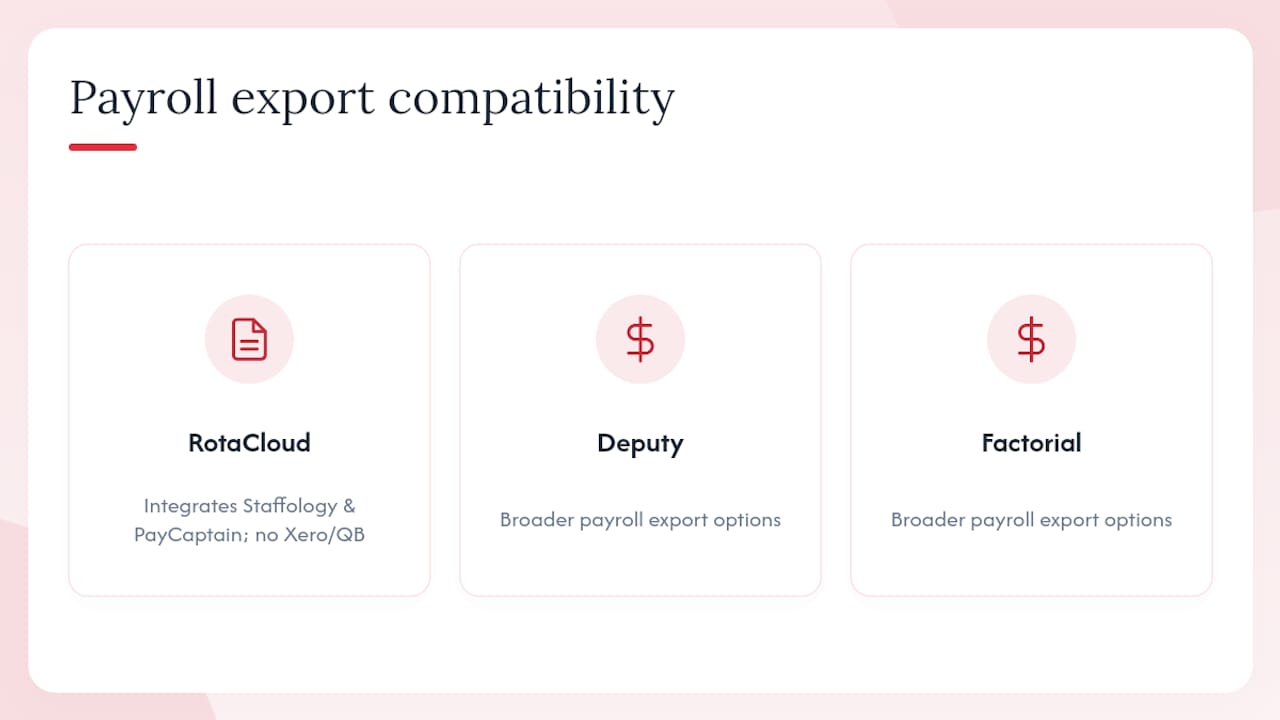
UK localisation note: Managers should confirm NI/PAYE export compatibility directly with any vendor before committing. RotaCloud integrates with Staffology and PayCaptain and exports Sage-formatted CSV, but lacks native Xero and QuickBooks links in most configurations. Timeprof, Deputy, and Factorial offer broader payroll-compatible export options for UK pay runs. Verified user reviews on G2 and Capterra are worth checking during shortlisting; Capterra reviewers consistently rate RotaCloud highly for ease of use and note fast go-live times, which sets a useful benchmark for evaluating alternatives.
What does each alternative actually offer?
Market aggregators list a wide set of alternatives spanning niche scheduling tools and enterprise payroll platforms. The profiles below focus on what actually matters for UK managers.
Timeprof
Timeprof is an AI-powered workforce operations platform covering rota planning, open shifts, leave management, geofenced clock-in, task management, messaging, and compliance reporting in a single multi-tenant system. It is built for organisations that need more than a rota: care homes, security firms, cleaning companies, and multi-site hospitality businesses where audit trails and skills-based scheduling are non-negotiable. UK payroll-compatible exports and two-factor authentication come as standard, not as paid add-ons.
- Strengths: Integrated scheduling and attendance with no need for separate tools; geofence clock-in; audit-ready compliance reporting; role-based access and enterprise security
- Watch out for: Newer to the market than some established names; enterprise feature depth may exceed the needs of a single-site team of five
Deputy
Deputy combines auto-scheduling, demand forecasting, and a broad integration ecosystem. Its AI scheduling engine works well for businesses with complex, recurring patterns where manual rota-building is genuinely time-consuming. The platform integrates with a large number of payroll and HR tools, though UK-specific payroll links require checking on a case-by-case basis.
- Strengths: Auto-scheduling saves significant time for complex rotas; strong third-party integrations
- Watch out for: Per-user pricing scales quickly for larger teams; some UK payroll integrations require additional configuration
Planday
Planday focuses on labour cost visibility alongside scheduling, making it a natural fit for hospitality and retail chains where wage-to-revenue ratios matter. Shift templates and labour cost dashboards are the headline features. Curated comparison listings identify Planday’s labour cost tools as a category strength for multi-site operators.
- Strengths: Labour cost controls; shift templates; strong for hospitality chains
- Watch out for: Less suited to care or field service; UK payroll exports need verification
Findmyshift
Findmyshift does one thing well: simple rota management for small teams. The free tier covers up to five staff, and the paid plans stay affordable for single-site operations. It is not the tool for a 50-person multi-site business, but for a small café or independent retailer it removes the spreadsheet without adding complexity.
- Strengths: Free tier available; genuinely easy to use; quick to set up
- Watch out for: Limited time and attendance features; minimal payroll integration beyond CSV export
Connecteam
Connecteam positions itself as an all-in-one app for deskless workers: scheduling, GPS clock-in, messaging, checklists, and training in one mobile-first interface. GetApp highlights Connecteam as one of the most commonly recommended alternatives for field service and frontline teams. The free tier is generous for very small teams.
- Strengths: Mobile-first; GPS clock-in; broad operational features beyond scheduling
- Watch out for: UK payroll integrations are limited; the breadth of features can overwhelm teams that only need scheduling
Wageloch
Wageloch centres on payroll-aligned time tracking and attendance records, with scheduling as a secondary function. It suits businesses where the primary pain point is accurate time export for pay runs rather than complex rota planning.
- Strengths: Payroll export focus; secure attendance records
- Watch out for: Scheduling features are less developed than dedicated rota tools
Factorial
Factorial is an HRIS that includes scheduling and absence management, making it attractive for SMBs that want HR and rota management in one place. Employee records, onboarding workflows, and leave management sit alongside shift scheduling.
- Strengths: Combined HR and scheduling; centralised employee records; absence management
- Watch out for: Scheduling depth is secondary to HR; not ideal for complex multi-site rotas
QuickBooks Time
QuickBooks Time makes sense for one specific scenario: you already run QuickBooks for accounts and payroll, and you want time data to flow directly into it. Outside that ecosystem, it offers little advantage over dedicated scheduling tools.
- Strengths: Native QuickBooks integration; straightforward GPS clock-in
- Watch out for: Limited scheduling features; only compelling if QuickBooks is already in use
7shifts
7shifts is built specifically for restaurants, with labour forecasting tied to covers and revenue, kitchen and front-of-house rota separation, and tip pooling features. It is the strongest option in this list for food service operators, though its UK payroll integrations are primarily US-focused and require verification.
- Strengths: Restaurant-first features; labour forecasting; menu-linked scheduling
- Watch out for: UK payroll integration requires checking; less suited to non-hospitality sectors
Sloneek
Sloneek offers a lightweight blend of HR and scheduling aimed at small European teams. The interface is clean and the feature set is intentionally limited, which suits teams that find full HRIS platforms excessive.
- Strengths: Simple HR-scheduling combination; lightweight interface
- Watch out for: Limited UK payroll integrations; not suited to complex or multi-site operations
When I Work
When I Work delivers clean, mobile-friendly scheduling with shift swap and clock-in features. It is a solid choice for SMBs that need a step up from spreadsheets without the complexity of a full workforce management platform.
- Strengths: Clean mobile experience; easy shift claims and swaps; quick to learn
- Watch out for: Limited UK payroll integrations; basic reporting
Sling
Sling combines shift templates, task assignments, and staff messaging with a free tier that covers basic scheduling. It suits hourly workforces where shift communication is as important as the rota itself.
- Strengths: Free tier; shift templates; task assignment and messaging
- Watch out for: UK payroll integrations are limited; time and attendance features are basic on the free plan
Paylocity
Paylocity is an enterprise HR and payroll platform with a scheduling module. It is primarily US-focused, and UK availability and payroll localisation should be confirmed directly with the vendor before shortlisting.
- Strengths: Full enterprise HR and payroll suite
- Watch out for: US-primary platform; UK payroll localisation limited; enterprise pricing
Unrubble
Unrubble focuses on time tracking and attendance with basic scheduling, GPS clock-in, and payroll export. It suits small teams that need reliable attendance records without a full rota management system.
- Strengths: GPS clock-in; straightforward time tracking; free trial available
- Watch out for: Limited scheduling depth; UK-specific payroll integrations require verification
How do you choose the right RotaCloud alternative for your UK business?
The decision comes down to five priorities, roughly in this order for most UK SMBs.
1. UK payroll compatibility. Confirm the tool exports in a format your payroll software accepts, whether that is Xero, Sage, QuickBooks, Staffology, or a bespoke system. A missing native integration is the most common reason managers switch tools twice. Ask vendors specifically about NI/PAYE-aware exports and whether payroll reconciliation is automated or manual.
2. Scheduling features that match your operation. Drag-and-drop rota building, open shifts, shift swap and claims, and skills-based assignment cover most SMB needs. Restaurants need labour forecasting; care homes need skills and compliance tracking; field service teams need GPS clock-in and geofencing. Match the feature set to your actual operation, not the longest feature list.
3. Time and attendance reliability. Mobile clock-in works well in most environments, but trial periods are the most reliable way to validate clock-in behaviour in real staff environments, particularly where sites have poor mobile coverage or require geofence checks. Run the trial on your actual sites before committing.
4. Mobile resilience and staff self-service. Staff who cannot access their rota on a phone will call the manager. Look for offline capability, push notifications, and a staff portal where employees can view shifts, submit availability, and request leave without manager intervention.
5. Support and onboarding. UK support hours matter. A vendor with US-only support hours will leave you waiting when something breaks on a Monday morning. Ask for the support SLA in writing and check whether onboarding is included or charged separately.
Questions to ask on vendor demos
- Which UK payroll systems do you integrate with natively, and which require a CSV workaround?
- Can you export raw clocking events and approved timesheets separately?
- What is your implementation timeline for a team of our size?
- Do you provide migration support, and is it included in the contract?
- What are your UK support hours and average response times?
- Is the contract monthly or annual, and what are the exit terms?
Red flags to watch for
- Pricing that only becomes clear after a sales call
- No native UK payroll integrations and no clear CSV export format
- Annual-only contracts with no monthly option for the first year
- Audit logs that cannot be exported or are not retained beyond 90 days
- Two-factor authentication listed as an enterprise-only add-on
- Onboarding support charged at a rate that exceeds the first year’s subscription
Pro Tip: Ask every vendor for a reference from a UK business in your sector. A care home reference is more useful than a generic testimonial from a US retailer.
What do pricing models actually cost for UK teams?
Most workforce scheduling tools use one of three pricing shapes: per-user per-month, per-location tier, or account-level tiers with a staff cap. Each behaves differently as your headcount grows.
Per-user pricing charges a fixed rate for each active staff member. It is predictable and scales linearly, but costs rise quickly for larger teams. Deputy and Planday use this model.
Per-location or per-account tiers charge a flat rate for a site or a band of staff. For small UK teams, account or tier pricing can be cheaper than per-user pricing up to a threshold number of staff, after which per-user models often scale better. Findmyshift and Sling offer free tiers on this basis.
Add-on pricing is common for time and attendance features. RotaCloud’s T&A add-on costs roughly £4.50/month on top of the base plan. Many vendors follow the same pattern, so the headline price rarely reflects the full cost.
Worked cost examples
These examples use publicly listed starting prices and clearly labelled assumptions. Actual costs will vary by plan tier and negotiated discounts.
10-person team:
- The Pro plan with the time and attendance add-on costs approximately £35/month (sourced from Compare Your Business Costs)
- Findmyshift paid plan: low per-user rate; likely under £20/month at this team size
- Deputy or Planday pricing for a 10-person team varies by tier but typically falls within a moderate monthly range.
- Timeprof: tiered per-staff subscription; contact for current pricing at this team size
50-person team:
- Per-user tools at even a modest per-user rate reach £100–£200/month at 50 staff
- Account-tier tools with a 50-staff cap can offer better value; verify whether the cap applies to active or total staff
- Add-ons (T&A, integrations, onboarding) can add 20–40% to the base subscription cost
Pricing terms to know:
- Monthly vs annual billing: annual contracts typically offer a 10–20% discount but lock you in
- Seat vs active user: some tools charge for every staff member on the system; others charge only for those who clocked in during the billing period
- Setup fees: common for enterprise tiers; ask whether onboarding is included
- Overage rules: check what happens if you exceed your staff cap mid-month
Pro Tip: Always ask for a quote based on your peak headcount, not your average. Seasonal businesses that hire temporary staff can face unexpected overage charges if the contract is based on a lower number.
Moving from RotaCloud: a practical migration checklist
Most migrations from RotaCloud to a new system take two to six weeks depending on team size and integration complexity. The steps below are sequenced to minimise disruption.
Week 1: Scoping and data export
- Export all staff records from RotaCloud (names, roles, contact details, permissions).
- Export historical time and attendance data for at least two full payroll periods in CSV format; retain both raw clocking events and approved timesheets for reconciliation.
- Export current and future rotas, including any recurring shift templates.
- Document all active integrations (payroll system, HR tools, communication apps) and confirm which the new platform supports natively.
- Note current holiday balances for all staff; these must be migrated manually in most systems.
Week 2: Platform setup and pilot
- Configure the new platform with your sites, roles, and permissions before importing staff data.
- Import staff records and verify permissions for each role level.
- Set up payroll export settings and run a test export against a known pay period to confirm accuracy.
- Run a pilot on a single site or department for one full rota cycle before wider rollout.
Week 3: Staff training and communication
- Brief managers on the new interface; focus on the three tasks they do most often (publishing rotas, approving swaps, running reports).
- Send staff a short guide to the new mobile app covering clock-in, shift viewing, and leave requests.
- Keep fallback rotas available for at least two pay cycles in case of issues.
Week 4: Cutover and review
- Go live on all remaining sites.
- Run parallel payroll exports from both systems for the first pay period and reconcile any discrepancies.
- Decommission RotaCloud access only after the first clean payroll run on the new system.
Pro Tip: When migrating rotas, preserve historical time and attendance records for at least two payroll periods to allow reconciliation; export both raw clocking events and approved timesheets in CSV before you close your RotaCloud account.
For additional guidance on avoiding common pitfalls after switching systems, the common rota scheduling mistakes guide covers the operational fixes that matter most in the first few weeks.
Which alternative should you pick for your specific UK scenario?
| Scenario | Recommended tool | Reason |
|---|---|---|
| Care home or social care provider | Timeprof | Skills-based scheduling, audit trails, geofenced clock-in, and compliance reporting built in |
| Multi-site hospitality or retail | Timeprof or Planday | Multi-site dashboards and labour cost controls; Planday for chains with detailed shift templates |
| Restaurant or food service | 7shifts | Restaurant-first labour forecasting and front-of-house rota features |
| Field service or deskless teams | Connecteam | GPS clock-in, mobile-first communication, and task checklists for dispersed staff |
| Small single-site team (under 10 staff) | Findmyshift | Free tier, simple rota, and low cost for straightforward operations |
| QuickBooks accounting users | QuickBooks Time | Native integration removes manual time export to payroll |
| SMB wanting HR and scheduling together | Factorial | Combined HR records, absence management, and shift scheduling |
| Security or cleaning multi-site operations | Timeprof | Geofence verification, site-based messaging, and audit-ready reporting across multiple locations |
For the majority of UK SMBs, Timeprof is the strongest fit. It covers the full range of scheduling, attendance, leave, and compliance needs without requiring separate tools for each function. The geofenced clock-in and audit trail features are particularly relevant for care, security, and cleaning businesses where compliance records are not optional. UK payroll-compatible exports and two-factor authentication come as standard.
Where another tool is genuinely better suited, the table above says so plainly. A restaurant operator will get more from 7shifts’ labour forecasting than from a general-purpose platform. A team of five running a single café will find Findmyshift’s free tier perfectly adequate. The point is to match the tool to the actual operation, not to the longest feature list or the lowest headline price.
For care sector managers specifically, the mobile scheduling guide for care staff covers the practical considerations around mobile clock-in and compliance in care settings.
What we learned comparing RotaCloud alternatives
The most persistent tension across this comparison is not between features or price. It is between tools built for a specific sector and tools built to be general-purpose. RotaCloud is genuinely good at what it does for its core market, and Capterra reviewers consistently rate it highly for ease of use and fast go-live. The managers who switch are usually not unhappy with the scheduling experience. They hit a wall when the payroll export does not match their accountant’s system, or when they open a second site and discover the reporting does not scale.
Three trade-offs came up repeatedly across every vendor in this comparison.
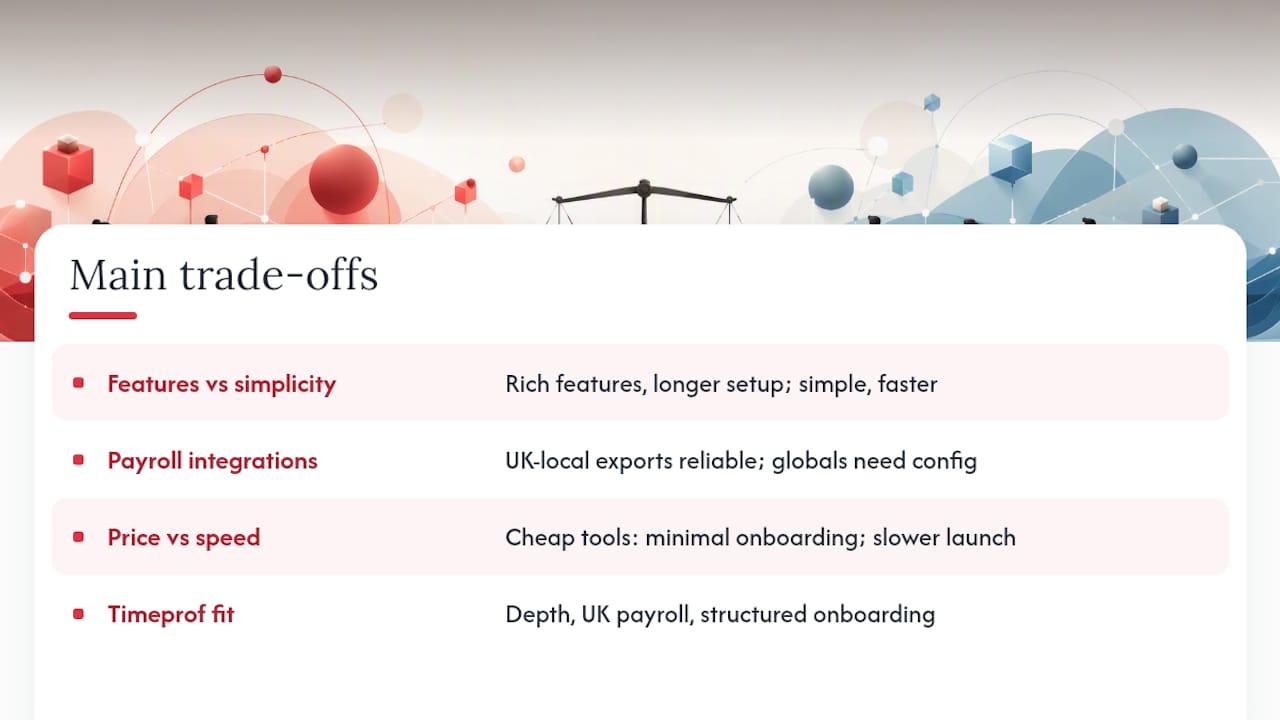
Feature depth versus simplicity. The tools with the richest feature sets (Deputy, Factorial, Timeprof) require more configuration time upfront. The simpler tools (Findmyshift, When I Work, Sling) go live faster but hit limits sooner. There is no universal answer; the right choice depends on whether your biggest problem today is setup time or capability gaps six months from now.
Local payroll versus global integrations. UK-native or UK-localised tools tend to handle NI/PAYE exports more reliably out of the box. Global platforms with large integration ecosystems often require a UK-specific configuration that is not always documented clearly. This is the single most important thing to verify before signing a contract.
Price versus implementation speed. The cheapest tools are cheap partly because onboarding support is minimal. A £15/month tool that takes three weeks to configure correctly and requires two rounds of payroll reconciliation is not cheaper than a £40/month tool that goes live in a week with guided setup.
Timeprof sits at the intersection of these trade-offs in a way that suits most UK SMBs: enough feature depth to handle multi-site complexity, UK payroll-compatible from the start, and structured onboarding that reduces the implementation risk. It is not the simplest tool on this list, and it is not the cheapest entry point. But for a business that has outgrown RotaCloud’s integration limits, it is the most complete replacement without jumping to enterprise pricing.
Timeprof: a practical next step for UK managers ready to switch
Replacing RotaCloud is a decision most managers make once and want to get right. Timeprof covers the full scope of what UK SMBs need after outgrowing a basic rota tool: integrated scheduling, geofenced attendance, leave management, skills-based shift planning, real-time multi-site dashboards, and audit-ready compliance reporting, all in one platform with UK payroll-compatible exports built in.

The platform is designed for organisations in care, security, hospitality, cleaning, and retail where scheduling errors and compliance gaps carry real consequences. Two-factor authentication, role-based access, and structured onboarding are included as standard, not priced as enterprise add-ons. For managers who want to see how it handles their specific operation before committing, a demo or free trial is available directly at Timeprof. The onboarding process includes a data assessment and a guided pilot, so you are not left to configure a complex system alone.
Sources
- RotaCloud Review UK 2026: Pricing, Features & Verdict
- RotaCloud Review 2026 | Pricing, Rotas, Time Attendance & Alternatives | Compare Your Business Costs
- Best 15 RotaCloud Alternatives in 2026 - Software Advice
- Alternatives to RotaCloud: Compare Similar Programs | Appvizer
- Top 10 RotaCloud Alternatives & Competitors in 2026
- RotaCloud Reviews, Cost & Features | GetApp Australia 2026
- RotaCloud reviews on Capterra