HR Checklist: Verify a Workforce Audit Trail in Under a Minute
Practical HR checklist to verify workforce audit trails. Learn immutability, RBAC and GDPR safe logging checks mapped to payroll runs, shift disputes and...

An audit trail in a workforce system is a tamper-evident, chronological record of who did what, when and why. Payroll teams use it to prove that a timesheet edit was authorised, HR uses it to settle shift disputes, and auditors use it as the single source of truth when a regulator or client asks for evidence. Get this right and every payroll query, every disciplinary case and every compliance check becomes faster and defensible.
TL;DR:
- Proper audit trails must filter actions by precise timestamps, not just shift dates, to capture late edits like overtime overrides accurately.
- Logs need to be immutable and stored in append-only or WORM systems with hash chaining to prevent tampering and ensure compliance.
- The audit trail should include key fields such as actor ID, IP address, specific object changed, before-and-after values, and the outcome for effective verification.
- Restrict access to audit logs through role-based controls, encrypt data at rest and in transit, and synchronize system clocks to ensure data integrity.
- Regularly test audit logs by making benign changes, verifying accurate capture, and confirming the ability to restore and review historical entries.
Table of Contents
- Audit trail vs system log: what managers actually see
- What every workforce audit log should capture
- Keeping audit logs trustworthy and GDPR-compliant
- How HR and payroll teams put audit trails to work
- Why this guidance holds up in practice
- Practical verification steps I recommend
- Turning these controls into a working system
- Sources
Audit trail vs system log: what managers actually see
An audit trail isn’t the same thing as the technical logs your IT team pores over when something breaks. Application logs exist to help engineers debug software; they’re often short-lived, noisy, and never designed for a human resources manager to read. An audit trail, by contrast, is built for accountability. It has to be immutable and separated from application logs, retained for as long as compliance rules demand, and readable by someone without a computer science degree.
In practice, the interface a manager works with looks less like a server log and more like a searchable ledger. You’ll typically find:
- Filters for actor, date range, and activity type, so you can pull every relevant action a specific manager took during a given period.
- Diff views showing the old value against the new one, rather than just noting that a record was updated.
- Export options for CSV or PDF, so entries can be included with payroll files or provided to auditors.
- Clear labelling of automated actions (such as system-triggered overtime calculations or auto-published rotas) separately from human-initiated ones, to distinguish between system and user changes.
That last point matters more than it sounds. When a shift disappears from a rota and nobody remembers deleting it, the difference between “manager X removed it” and “the scheduling engine auto-cancelled it due to a rule conflict” changes the whole investigation.
What every workforce audit log should capture
A log is only useful if it captures the right fields. NIST’s guidance on audit trails points to authentication, authorisation, data modification and high-privilege actions as the categories worth logging, and that framework translates directly into workforce systems.
At minimum, each entry needs:
- Action timestamp — the exact moment the change happened, not the date of the shift it affected.
- Actor ID and type — whether a named manager, a staff member, or a system process made the change.
- Session or IP reference — useful for grouping related actions and proving non-repudiation if a dispute arises.
- Object or field changed — the specific record affected, such as a timecard entry or pay rate.
- Old value → new value — a genuine before-and-after, not just a confirmation the record moved.
- Outcome — whether the action succeeded, failed, or was reversed.
- Reason or reference — a ticket number, approval note, or comment where the platform supports one.
Layered on top of those generic fields, workforce systems need to track events specific to rostering and pay: shift publication and unpublishing, shift reassignment between staff, timecard edits, overtime or pay-rate overrides, and leave approvals or rejections. Real-world implementations, such as audit logs used in enterprise scheduling tools, typically list exactly these fields as standard columns.
Pro Tip: When you’re reconciling payroll, filter your audit export by action timestamp, not the shift date. An overtime override entered three days after the shift happened will hide from you if you only search by the date the shift was worked.
Keeping audit logs trustworthy and GDPR-compliant
An audit trail that can be edited after the fact isn’t an audit trail. It’s a liability. The controls below turn a log from a nice-to-have into something you could actually defend in front of a regulator or an employment tribunal.
Data minimisation first. Never log plaintext passwords, API tokens, or raw personal identifiers where a masked or hashed version does the same job. Practitioners recommend masking or hashing PII specifically because logging everything “just in case” creates a second, harder-to-secure copy of sensitive employee data. Logging every field a system touches feels thorough, but it multiplies your GDPR exposure without adding forensic value.
Immutability is non-negotiable. Logs should sit in append-only or WORM (write once, read many) storage, ideally with hash chaining so any tampering breaks the chain and is instantly visible. Export critical audit data to storage separate from the live application database.

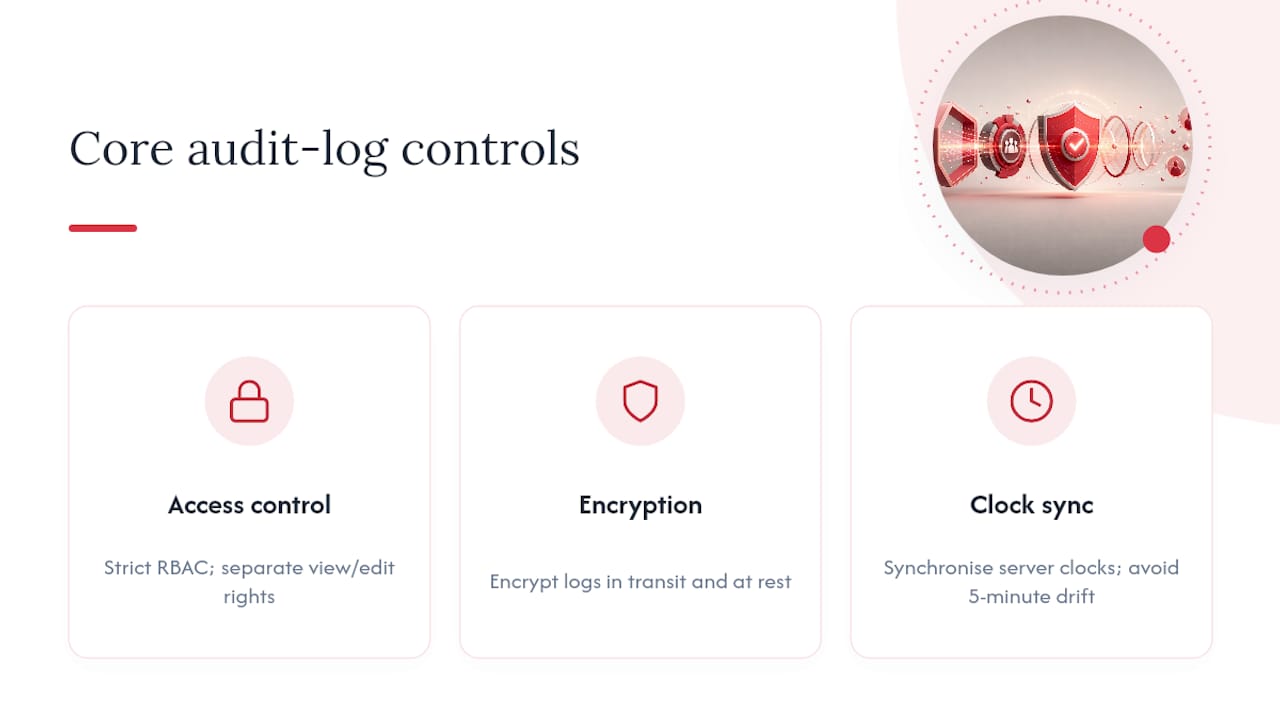
Access control matters as much as storage. Strict role-based access control (RBAC) should govern who can even view audit logs, separate from who can view or edit the underlying records. Encrypt logs both in transit and at rest, and make sure server clocks are synchronised. A five-minute clock drifts between your scheduling server and your payroll server can make two related entries look like they happened in the wrong order.
Regulatory frameworks including SOC 2, HIPAA and GDPR all expect logging and monitoring of access and configuration changes as a baseline control, not an optional extra. Retention periods should match whichever regime applies to your sector, and you should test log exports and integrity checks on a scheduled basis, not only when an incident forces your hand. Pair that with real-time alerts for risky actions, such as repeated failed logins or after-hours pay overrides, and scheduled human reviews of the log itself.
How HR and payroll teams put audit trails to work
The theory only matters if it holds up on a Friday afternoon when payroll needs signing off in an hour. Three workflows come up constantly:
- Payroll reconciliation. Before finalising a pay run, check the audit trail for late edits to timecards, pay rate overrides, and shift reassignments. Attach the relevant exported entries to your payroll evidence file so any query six months later has an immediate answer.
- Investigations and disputes. When a staff member disputes their pay or a manager is accused of favouritism in shift allocation, filter the log by actor and session, pull the before/after diffs, and assemble them into an evidence packet alongside a short written narrative. That packet, not your memory of the conversation, is what protects you.
- Pre-payroll operational checks. Validate that shift trades were approved by the right person, that overtime overrides carry a reason code, and that leave approvals match the actual rota before you close the pay period. Audit trails give you a verifiable history of every one of those edits.
Two mistakes trip up even experienced teams. The first is filtering by the shift’s business date instead of the actual action timestamp, which means an edit made days after the shift was worked slips straight past you. The second is treating the log as the only source of truth without cross-checking it against the rota or payroll export. A log tells you what happened in the system; it doesn’t tell you whether the underlying policy was followed.
Why this guidance holds up in practice
This guide is written by Michael, whose editorial focus is workforce compliance, payroll accuracy and the operational realities of running rotas across multiple sites. The recommendations here aren’t theoretical: they map directly onto how Timeprof is built, with audit records, role-based access control, two-factor authentication, geofenced clock-in and exportable compliance reports as standard features. Every field on the checklist above, from actor identity to old-to-new value tracking, exists because HR and payroll teams asked for it after being caught out without it. Managers using the platform can run the verification steps described here directly against their own live data.
Practical verification steps I recommend
Run these tests yourself before you trust any audit trail with a real dispute or payroll query. Make a harmless change, a shift swap or a note edit, and confirm the log captures actor, timestamp and old/new values correctly. Export that entry and check the timestamp matches your system clock exactly. Confirm automated actions show as system-generated, not attributed to a person. Then assign at least one named log reviewer, test that you can actually restore an old entry from your retention period, and write down who escalates a suspicious entry and to whom.
— Michael
Turning these controls into a working system
Reading a checklist is one thing. Running it across multiple sites, dozens of managers and hundreds of shifts a week is another. Timeprof was built around exactly the controls this guide describes: every schedule change, timecard edit, and leave approval writes to an audit record you can filter by actor, date range and activity type, with role-based access control and two-factor authentication controlling who can see what.

For managers in care, healthcare, security, hospitality, cleaning and retail, the practical benefit is speed rather than theory. When a payroll query lands on your desk, you’re not digging through spreadsheets or asking three managers what happened. You pull the exportable forensic report, cross-check it against geofenced clock-in data, and close the query in minutes instead of days. That’s the gap between an audit trail you have to trust blindly and one you can actually verify, matched against the workforce compliance reporting tools your team already needs. Businesses evaluating their current HR software against this standard can also compare it to established HR feature checklists to see where the gaps sit.
If your current rota tool can’t answer “who changed this shift and when” in under a minute, it’s worth seeing what a purpose-built system looks like. Visit the Timeprof site to book a demo and see the audit trail running against your own scheduling data.