Access control: how it protects staff personal data from misuse
Discover how access control safeguards staff personal data by ensuring only authorized users can access sensitive information, keeping compliance essential.

Access control prevents unauthorised access to staff personal data by tying every request for that data to a verified identity, then limiting exactly what that identity can see or change. Under UK GDPR, this is not optional. The Information Commissioner’s Office expects organisations to show that only staff who genuinely need personal data can reach it, and the NHS Data Security and Protection Toolkit sets out exactly how that access should be logged and reviewed. Get this wrong and the exposure is real:
- Authentication confirms who someone is
- Authorisation decides what that person can do
- Least privilege keeps access to the minimum needed
- Audit logs record every action for accountability
Non-compliance risks fines of up to £17.5 million or 4% of global turnover under UK GDPR, which is why platforms like Time Prof build these controls in from the start rather than bolting them on later.
Key Takeaways
Access control protects staff personal data by tying every data interaction to a verified identity and restricting that identity to the minimum access its role requires.
| Point | Details |
|---|---|
| Build a role-and-data matrix | Map every role to the data it actually needs before granting or removing access. |
| Separate admin from daily accounts | Prevents a single compromised login from exposing the entire staff database. |
| Automate joiner/mover/leaver access | Deprovisioning on the day someone leaves closes the most common audit gap. |
| Keep tamper-evident logs | Records of who, what, when and where satisfy DSPT and GDPR audit requests. |
| Review permissions quarterly | Stops permission creep before it becomes an unnoticed breach path. |
Table of Contents
- How access control works: authentication, authorisation and session controls
- Which access control model suits staff data best?
- Why does access control matter for UK GDPR and DSPT compliance?
- Practical implementation checklist for managers and IT
- Why people and process matter as much as the technology
- Monitoring, auditing and incident response: what to log and how to act
- Time Prof in practice: access control features that map to compliance
- What happens when poor access control leads to a breach
- How access control fits with encryption and network security
- Emerging trends: biometrics, zero trust and what’s actually changing
- How access control stops insider threats and accidental exposure
- Time Prof: what actually protects staff data in practice
- Sources
How access control works: authentication, authorisation and session controls
Authentication answers one question: are you who you say you are? A password alone answers it badly, which is why multi-factor authentication (MFA) has become standard for anyone touching HR or payroll systems. Device checks add another layer, flagging logins from unrecognised hardware or unusual locations before they become a problem.
Authorisation is a separate step, and conflating the two is where a lot of organisations go wrong. Once identity is confirmed, the system decides what that identity is allowed to do, enforced at multiple points: the application login screen, the database query layer, and the file store holding exported reports. Modern access control links every one of these interactions back to a verified identity, which is precisely what stops what security teams call “access mining”, where someone with broad permissions quietly gathers more data than their role legitimately requires.
Consider two scheduling managers. One can view and edit rotas for their own site only. The other, through years of accumulated permissions nobody ever revoked, can view payroll notes, medical adjustments and disciplinary records across twelve sites. Both are doing the same job. Only one setup is defensible in an audit.
- Confirm identity through MFA or device verification.
- Check the request against the person’s defined role.
- Grant the narrowest permission that lets them do their job.
- Log the access, whatever the outcome.
Pro Tip: Give every manager two accounts, one for daily rota and messaging work, and a separate admin account used only for permission changes. It sounds like extra hassle, but it stops a single compromised login from exposing your entire staff database.
Which access control model suits staff data best?
Not every organisation needs the same model, and picking the wrong one either locks staff out of tools they need or leaves data far too exposed.
- Role-based access control (RBAC) assigns permissions by job function, such as “shift supervisor” or “payroll officer”. It suits most HR and workforce systems because roles in care, hospitality and retail tend to be stable and well defined.
- Attribute-based access control (ABAC) adds context: a nurse might see patient rota notes only while clocked in at that site, during their shift. This fits organisations where location, time and training status genuinely change what someone should see.
- Discretionary access control (DAC) lets data owners decide who else can view their files. It works for small teams but scales badly, since permissions drift as favours accumulate.
- Mandatory access control (MAC) locks permissions to a fixed policy nobody can override, common in government and defence but usually overkill for workforce platforms.
RBAC and ABAC both support zero trust thinking, where nothing is trusted by default and every request is checked against policy. For most workforce management deployments, RBAC as the backbone with ABAC-style contextual rules layered on top gives the best balance of security and usability.
Why does access control matter for UK GDPR and DSPT compliance?
Article 32 of UK GDPR requires “appropriate technical and organisational measures” to protect personal data, and access control is the clearest evidence an organisation can produce that it takes this seriously. Regulators do not ask whether you have a policy document; they ask whether access is actually restricted, actually logged, and actually reviewed.
The NHS DSPT builds this into its assessment structure directly: personal data should be accessed only by those who need it, and that access must be auditable.
To demonstrate compliance during an inspection, organisations typically need:
- An up-to-date access register showing who can reach which systems
- Evidence of periodic access reviews, not just initial setup
- Logs proving each access event is attributable to a named individual
- Records of training completed under National Data Guardian staff responsibility guidance
Practical implementation checklist for managers and IT
Hardening access to staff data does not require a year-long project. Most of this can be done within a few weeks if someone owns it.
- Build a role-and-data matrix. List every role against the data it genuinely touches, then strip out anything that does not match.
- Apply least privilege by default. New accounts start with minimal access; elevation for admin tasks is granted just in time and expires automatically.
- Mandate MFA everywhere. No exceptions for “just one legacy system”, since that is always the one that gets breached.
- Separate admin and daily-use accounts. Nobody should do their normal job logged in as an administrator.
- Automate provisioning and deprovisioning. New starters get exactly the access their role needs; leavers lose it the same day, not the same month.
- Schedule quarterly access reviews. Designing a genuine least-privilege model depends on this step more than any other, because permissions that go unreviewed simply accumulate.
Pro Tip: Run your first access review before you write a single new policy. You will usually find more risk sitting in forgotten permissions than in anything a new tool could fix.
Why people and process matter as much as the technology
Technical controls fail quietly if the people using them are not held to clear obligations. Employment contracts should include explicit confidentiality clauses and data-security obligations, spelt out rather than buried in boilerplate. Effective access control relies on people, process and technology together, and managers act as the actual gatekeepers who approve, review and revoke permissions in practice.
Induction training should cover data handling from day one, with annual refreshers aligned to NDG and DSPT staff responsibility standards. A no-blame breach reporting culture matters too: staff who fear punishment for reporting a mistake will simply not report it, which is far more dangerous than the mistake itself. Managers tracking workforce visibility across sites are better placed to spot when reporting lines and approval workflows are breaking down. External resources like this employee cybersecurity training guide can help structure that induction content properly.
Monitoring, auditing and incident response: what to log and how to act
A usable audit log records who accessed what, when, from where, and what changed. Miss any one of those fields and investigations slow down dramatically when they matter most.
- Tamper-evident storage, so logs cannot be edited after the fact
- Retention long enough to cover a full DSPT assessment cycle
- Regular review for unusual patterns, not just reactive checks after a complaint
- Attribution to a named individual for every logged event, per staff responsibility guidance
Workforce apps that attribute every action to an individual user make containment far faster when something does go wrong. If a breach is suspected, revoke access immediately, reset affected credentials, and preserve the existing logs before anyone starts poking around, since overwritten evidence is often worse than the breach itself.
Time Prof in practice: access control features that map to compliance
Time Prof builds several of these protections directly into its platform rather than leaving managers to assemble them from separate tools.
- Role-based access control governs who sees rota, payroll-adjacent and personal data across single or multi-site organisations
- Two-factor authentication protects logins for managers and admin accounts
- Audit records attribute every change to a named user, supporting DSPT-style evidence requests
- Geofenced clock-in verifies attendance without exposing location data beyond what’s needed
- Automated deprovisioning removes access the moment a leaver’s record is closed
Permission creep, where access accumulates as staff change roles and nobody revokes the old entitlements, remains one of the most common findings in audits of workforce systems.
Pro Tip: When rolling out across multiple sites, deploy the role-and-data matrix before switching on any new module. Adding features to a system with undefined roles just multiplies the mess.
For procurement teams, the practical question is whether a platform’s audit trail can be pulled on demand during an inspection, not just whether it exists in principle.
What happens when poor access control leads to a breach
The consequences of a staff-data breach caused by weak access control rarely stay contained to one department. Financially, the exposure includes the regulatory fine itself plus the far less predictable cost of forensic investigation, legal advice, and system remediation, all while normal operations continue.
Reputational damage tends to outlast the financial hit. Staff who discover their own employer mishandled their medical notes, disciplinary history or bank details rarely stay quiet about it, and in sectors like care and hospitality, word travels fast through a workforce that already talks to itself constantly. Recruitment gets harder precisely when an organisation needs new staff most.
Legally, a breach involving special category data (health information, for instance) triggers stricter notification duties and closer regulatory scrutiny than a routine data incident. Directors and senior managers increasingly face personal accountability questions when an investigation reveals that access controls were known to be weak and nothing was done. That last point matters: regulators distinguish clearly between an organisation that had no idea and one that knew about a gap and left it open.
The operational disruption often gets underestimated too. Locking down systems mid-investigation, re-issuing credentials, and re-training staff on new procedures can pull management attention away from the business for weeks. None of this is hypothetical: it is the standard sequence once an access-control failure becomes a public data breach.
How access control fits with encryption and network security
Access control decides who gets to the door. Encryption decides what happens if someone gets past it anyway. Neither does the other’s job, and treating them as interchangeable is a mistake that shows up in a lot of otherwise well-intentioned security setups.
Data encrypted at rest and in transit means that even if a database is copied or a laptop stolen, the contents stay unreadable without the right keys, which sit behind their own access controls. Network segmentation adds a further layer: staff-data systems sitting on an isolated segment are harder to reach even from a compromised device elsewhere on the corporate network. Firewalls and intrusion detection then watch the boundaries between segments for anything unusual.
The combination matters because each layer catches what the others miss. Access control stops most unauthorised viewing. Encryption protects the data if access control is somehow bypassed. Network security limits how far an attacker can move once inside. Access controls support the confidentiality, integrity and availability triad that underpins most serious security architecture, and none of the three legs works well alone.
For a workforce platform specifically, this means checking that a vendor encrypts staff data both in the database and on the wire, segments admin functions from general staff access, and still layers RBAC and MFA on top rather than relying on network security as a substitute for proper permissions.
Emerging trends: biometrics, zero trust and what’s actually changing
Biometric authentication, fingerprint or facial recognition at clock-in, is spreading fast in sectors like security, hospitality and warehousing, mainly because it stops “buddy punching” where one employee clocks in for another. It raises its own data protection questions though, since biometric data is itself special category personal data under UK GDPR, requiring its own lawful basis and extra care in storage.
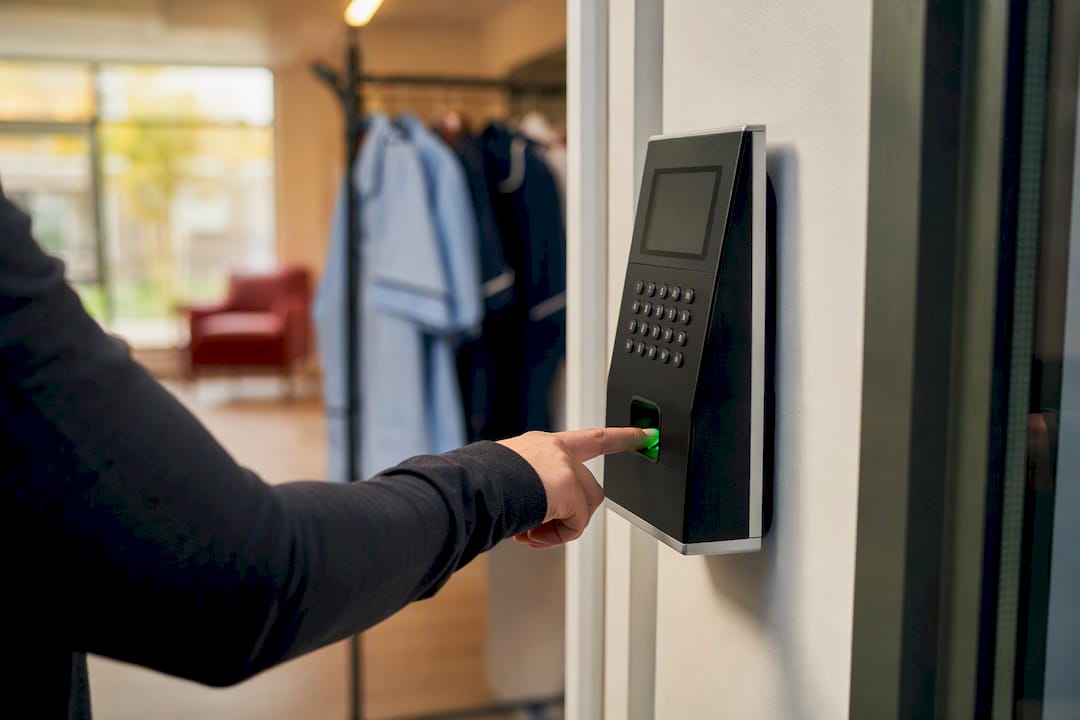
Zero trust architecture is the bigger structural shift. Instead of trusting anyone inside the corporate network by default, every request gets verified regardless of where it originates, whether that’s an office desktop or a personal phone on a care worker’s night shift. This matters enormously for organisations with dispersed, mobile workforces, where the old idea of a secure office perimeter never really applied anyway.
Passwordless authentication, using device-based keys or authenticator apps instead of memorised passwords, is gaining ground because it removes the single weakest link in most breaches: reused or guessable passwords. Context-aware access, where permissions shift automatically based on shift status, location or training completion, extends ABAC thinking into daily operational reality rather than leaving it as a theoretical model.
None of these trends replace the fundamentals covered earlier. They sharpen them. A biometric clock-in without RBAC behind it just proves identity more reliably at the door while leaving the rest of the house unlocked.
How access control stops insider threats and accidental exposure
Insider threats split into two categories that require different defences: the malicious insider who deliberately misuses access, and the far more common careless one who exposes data by accident, forwarding a spreadsheet to the wrong distribution list, leaving a screen unlocked, or exporting more records than a task actually required.
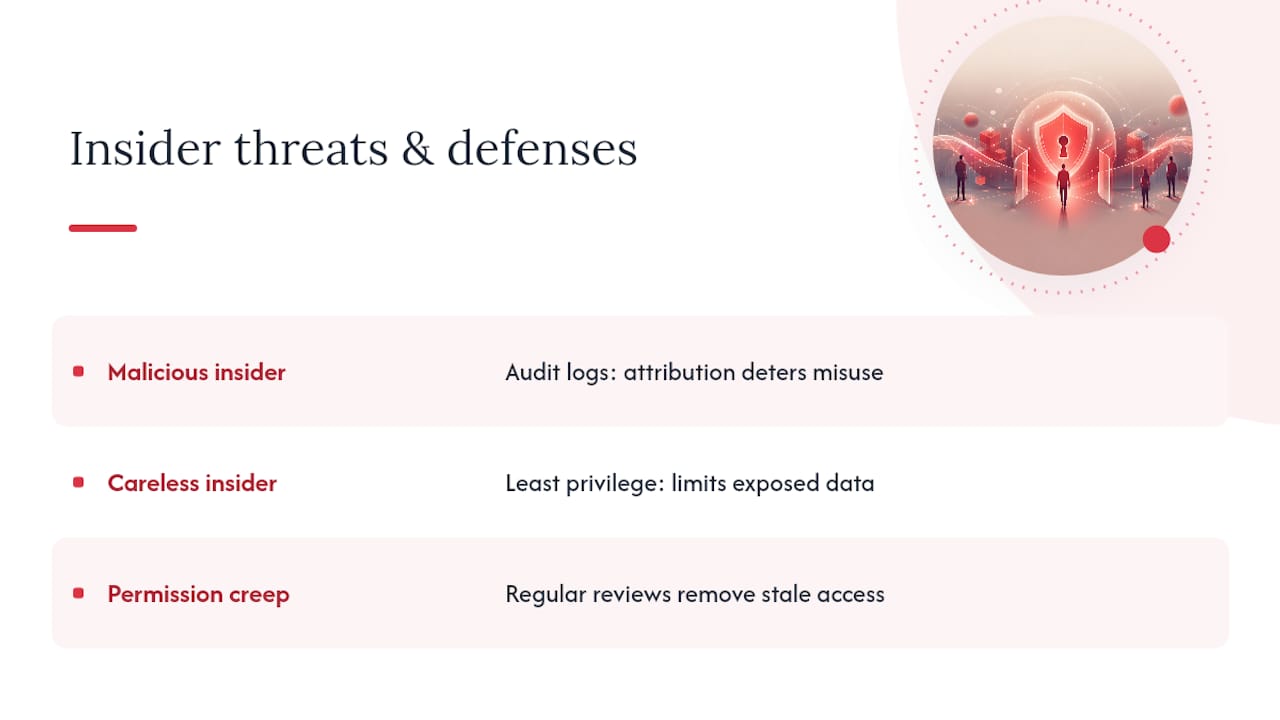
Least privilege addresses both at once. It mitigates insider risk by ensuring staff only have the access necessary for their roles, which means even a well-meaning mistake exposes far less data than it would under looser permissions. A payroll clerk who can only see their assigned sites cannot accidentally export company-wide salary data, because the system never gives them that reach in the first place.
Audit logs add the deterrent effect that pure technical restriction cannot. Knowing that every access is attributable to a named person changes behaviour, particularly for the kind of casual curiosity that leads someone to look up a colleague’s sickness record without a genuine work reason. Regular reviews catch the slower-building risk too: permission creep, where someone accumulates access across several past roles because nobody ever cleaned it up. That accumulated access is exactly what turns an ordinary staff member into an accidental insider threat, not through malice, but through simple oversight nobody caught in time.
Time Prof: what actually protects staff data in practice
The conventional advice on this topic leans heavily on policy documents and abstract principles. Policies do not stop breaches. Configuration does. A role-and-data matrix that nobody enforces is worthless, and a DSPT submission that describes controls the organisation does not actually run is worse than useless, because it creates a false sense of assurance for a regulator and for the board.
What gets overlooked most often is deprovisioning. Organisations pour effort into locking down new starters and almost none into removing access from leavers or role-changers, which is precisely where permission creep does its damage. If you want one place to start, start there.
Time Prof was not built as a security product, and it should not be sold as one. But because it handles onboarding, role changes and leave in one system, the access changes that matter happen automatically rather than depending on someone remembering to update a spreadsheet three systems away. That is the practical argument for platforms doing this: not that they are more secure in the abstract, but that they remove the human forgetting that causes most real-world exposure.
— Michael
This article is general information, not a substitute for advice from a qualified lawyer. Consult a qualified legal professional about your own circumstances before acting on anything here.
Sources
- Data security and protection toolkit (NHS Digital)
- Understanding least privileged access (BetterCloud)