Managers: Copyable Open Shift Management Checklist to Fill Gaps Fast
Turn open shift policy into a copyable checklist. Managers learn eligibility, overtime checks, ranked claims and how to fill gaps faster.

Open shift management is the process of publishing unassigned, scheduled shifts so eligible staff can claim them, instead of managers chasing coverage by phone. Done properly, it fills gaps faster, cuts overtime and agency spend, and takes the manual guesswork out of last-minute rostering. This guide covers the workflow, the policies to set before you switch it on, and the numbers to track once it’s running.
TL;DR:
- Open shifts are visible, unclaimed schedules that staff can pick up, unlike swaps which involve specific employee handoffs, improving transparency and coverage.
- Effective workflows involve creating, publishing, notifying, claiming, and confirming shifts, with automation handling most steps and speed depending on notification systems.
- Key performance indicators include the fill rate, time-to-fill, participation spread, and cost-per-fill, which help identify system efficiency and fairness issues.
- Setting eligibility filters, overtime checks, and claim approval policies beforehand prevents mismatched claims and excessive costs, especially for specialized roles.
- Using platforms like Time Prof streamlines open shift management by automating policy enforcement, notifications, and audit trails, reducing reliance on manual phone calls and spreadsheets.
Table of Contents
- What is open shift management, and how does it differ from swaps?
- How does an open shift workflow actually run?
- What are the benefits for managers and staff?
- What policies should you set before publishing open shifts?
- How do you implement open shifts step by step?
- Which KPIs prove open shift management is working?
- How does Time Prof put this into practice?
- What do managers get wrong about open shifts?
- Get open shift management right with Time Prof
- Sources
What is open shift management, and how does it differ from swaps?
An open shift is a scheduled, approved shift with no assigned employee, published so eligible staff can pick it up. That’s a specific and important distinction: it’s not the same as an empty slot sitting unnoticed on a rota, and it’s not a shift swap between two named employees. A swap still involves one person handing off to another; an open shift belongs to no one until someone claims it.
This matters operationally. Most scheduling platforms display open shifts in their own row or dashboard view, separate from the main roster, precisely so managers can see coverage gaps at a glance rather than hunting through individual staff lines. Vendor glossaries generally define open shifts this way for good reason: visibility is what turns a gap into a solved problem, rather than a surprise on the day.
How does an open shift workflow actually run?
Once a manager creates an open shift, software handles most of what used to be a string of phone calls. The process follows a consistent sequence:
- Create the shift, either manually or automatically when auto-assignment leaves a slot unfilled during schedule generation.
- Publish it to the eligible pool, filtered by role, site, skill, or certification.
- Notify staff instantly through app push alerts or messages, so the right people see it within minutes, not hours.
- Claim or assign the shift, either through employee self-service or manager placement.
- Confirm, with the roster and payroll systems updating automatically once the claim is approved.
Permission settings decide how much of this runs on autopilot. Systems generally offer auto-distribution alongside manual approval, and some let staff release their own shifts back into the open pool if managers grant that permission. Mobile notification speed is often the deciding factor in how quickly a shift actually gets filled, according to Heyshift’s operational overview.
What are the benefits for managers and staff?
The business case is straightforward: fewer unfilled shifts mean less scrambling for agency cover or last-minute overtime. But the benefit runs both ways.
- Managers cut down on phone calls and group texts, since the platform handles notification and claim tracking.
- Staff get more control over when they pick up extra hours, which tends to improve morale and reduce turnover-driven gaps.
- Payroll becomes more accurate because claimed shifts flow straight into hours logs instead of being reconciled manually afterwards.
- Fairness improves when eligibility and claim order are visible to everyone, not decided behind the scenes.
In healthcare specifically, open shift management is often used to prioritise internal staff and local on-demand clinicians ahead of expensive agency labour, a pattern ShiftMed’s analysis frames as a direct alternative to premium pay. The same logic applies just as well in hospitality, security and retail: internal coverage is nearly always cheaper than an external agency call-out.
What policies should you set before publishing open shifts?
Before you switch on open shift claims, decide the rules that govern who can grab what, and when. Skipping this step is how managers end up with unqualified staff on specialised shifts, or overtime bills nobody signed off on.
- Eligibility filters: restrict visibility by role, certification, site, and confirmed availability, so an open shift for a licensed task never reaches someone unqualified.
- Overtime pre-checks: run a weekly-hours check before a claim is confirmed, not after payroll notices the overrun.
- Approval mode: choose auto-assign for speed on low-risk shifts, and manager confirmation for anything touching specialist skills, high cost, or fatigue risk.
- Fairness rules: use ranked claim logic, factoring in hours-to-date and skill match, rather than pure first-come-first-served, which tends to reward whoever checks their phone fastest.
- Bonuses and expiry windows: attach an incentive rate to hard-to-fill shifts and set a claim deadline so unfilled slots escalate automatically.
- Audit trail: keep a shift log recording every notification, claim and approval, both for payroll disputes and for spotting sites where gaps keep recurring.
Pro Tip: Set your overtime threshold a few hours below the legal or contractual cap, not right at it. That buffer gives you room to catch a borderline claim before it becomes a compliance problem.
Filtering by skill and certification before a shift ever reaches the notification stage is one of the simplest ways to avoid a mismatch, and it costs nothing to set up once.
How do you implement open shifts step by step?
Turning policy into practice is a short sequence, but the order matters.
- Decide the route: is this genuinely an open shift for internal staff, or does the gap need to go straight to premium or agency cover? Not every gap suits the open shift pool.
- Fill the required fields: role, location, pay rate, and claim expiry window, all set before publishing, not patched in afterwards.
- Set notification rules: confirm which staff settings and app permissions trigger an alert, and check the eligible pool isn’t wider or narrower than intended.
- Handle multiple claims: decide in advance whether the system auto-distributes to the first eligible claimant or ranks claims for manager approval.
- Escalate on schedule: if the shift isn’t filled within your target window, have a pre-agreed next step, whether that’s widening eligibility, offering a bonus, or calling in shift-based staffing support.
Each of these steps should take minutes once the underlying rules exist. The time cost is almost always in setting the policy, not running it.
Which KPIs prove open shift management is working?
Fill rate and time-to-fill are the two numbers to watch first: what percentage of open shifts get claimed, and how long it takes. Beyond that, a handful of metrics separate a healthy system from one quietly breaking down.
- Fill rate: the share of published open shifts claimed before expiry.
- Time-to-fill: how long, on average, a shift sits open before someone claims it.
- Participation spread: whether claims are spread across your eligible pool or concentrated among a small group, which signals fatigue risk or unfair distribution.
- Cost-per-fill: the incentive or premium paid to fill a shift, tracked against what agency cover would have cost.
- Unfilled-shift rate: shifts that expire with no claim, which usually point to an eligibility filter set too narrow.
Shift logs are the diagnostic tool here. If the same site or role keeps showing a low fill rate, that’s rarely bad luck; it’s usually a sign the eligibility rules need widening or the incentive needs raising.
How does Time Prof put this into practice?
Time Prof builds open shift claims directly into its scheduling platform, so the policy checklist above isn’t theory, it’s a set of settings you configure once. Publish and claim actions run through the same mobile app staff already use for clocking in, with eligibility filters checking role, site and certification before a notification ever goes out.
- Overtime and hours checks run automatically before a claim is confirmed, not after.
- Geofenced clocking ties the claimed shift to actual attendance at the right site.
- Audit logs record every notification, claim and approval for payroll and compliance review.
- Role-based access controls who can auto-approve versus who needs manager sign-off.
Pro Tip: Start with manager confirmation switched on for every open shift, then move low-risk roles to auto-assign once your fill-rate data shows the eligibility filters are working correctly.
Time Prof is one credible way to run this checklist at scale, not the only route, but it’s built specifically for it.
What do managers get wrong about open shifts?
The most common mistake is publishing every gap the same way, with no eligibility filter and no approval step, and then being surprised when the wrong person claims a specialist shift. The second is running pure first-come-first-served, which quietly rewards whoever’s fastest on their phone rather than whoever’s fairest to schedule. The third is skipping the audit trail, then having no answer when payroll or a compliance review asks who approved what.
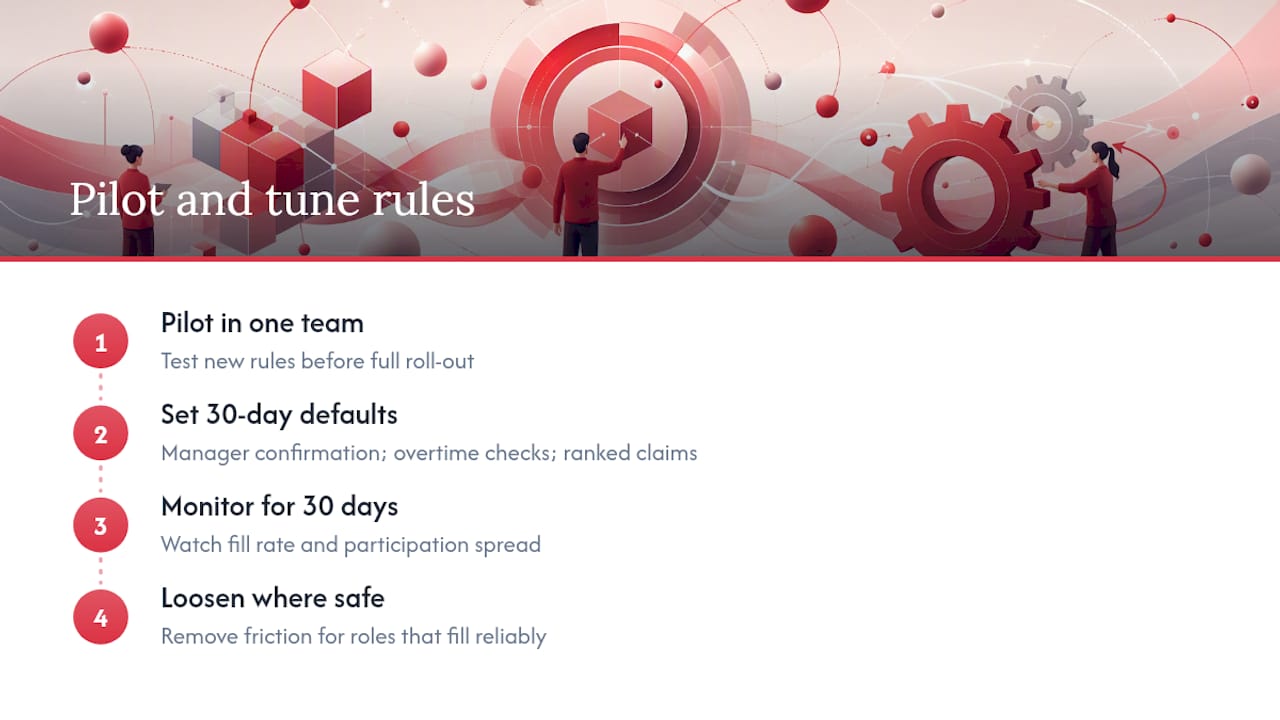
Pilot new rules in one team before rolling them out everywhere. A sensible 30-day default: manager confirmation on, overtime checks mandatory, ranked claim logic instead of pure speed. Watch fill rate and participation spread for a month, then loosen the rules for roles that clearly don’t need the friction.
— Michael
Get open shift management right with Time Prof
Time Prof is the platform built for managers who want the checklist above running automatically, not tracked across spreadsheets and group chats. It combines open shift publishing, eligibility and overtime checks, geofenced clock-in, and audit-ready reporting in one mobile-friendly system, so a shift gap gets filled by the right person, at the right cost, without a single phone call.

It suits care providers, hospitality groups, security firms and retail operations juggling multiple sites, where a gap left unfilled for even a day means agency cover or a stretched team. If you’ve read this far because your current setup relies on texts and memory, that’s exactly the gap Time Prof closes. Book a demo at Time Prof and see your own eligibility rules and fill-rate reporting set up within a day.